
Make a GIF from a video, or save one frame as a picture
You want a short looping GIF for a chat, a bug report or a README, or one still image from a clip. How to do both with KinoFlux Editor on your own computer, and which settings keep the GIF small.
Nitiksh3 min readKinoFlux Editor
On this page
A screen recording that shows a bug, a funny moment for a group chat, a demo for a README: a short GIF plays everywhere, starts on its own and loops. Other times you only want one still picture from a video, for a thumbnail or a document.
KinoFlux Editor has a tool for each:
- Video - Make a GIF turns a part of a video into a looping GIF.
- Video - Save a frame as picture saves one moment as a PNG or JPG.
Both work offline and add no watermark.
How to make a GIF#
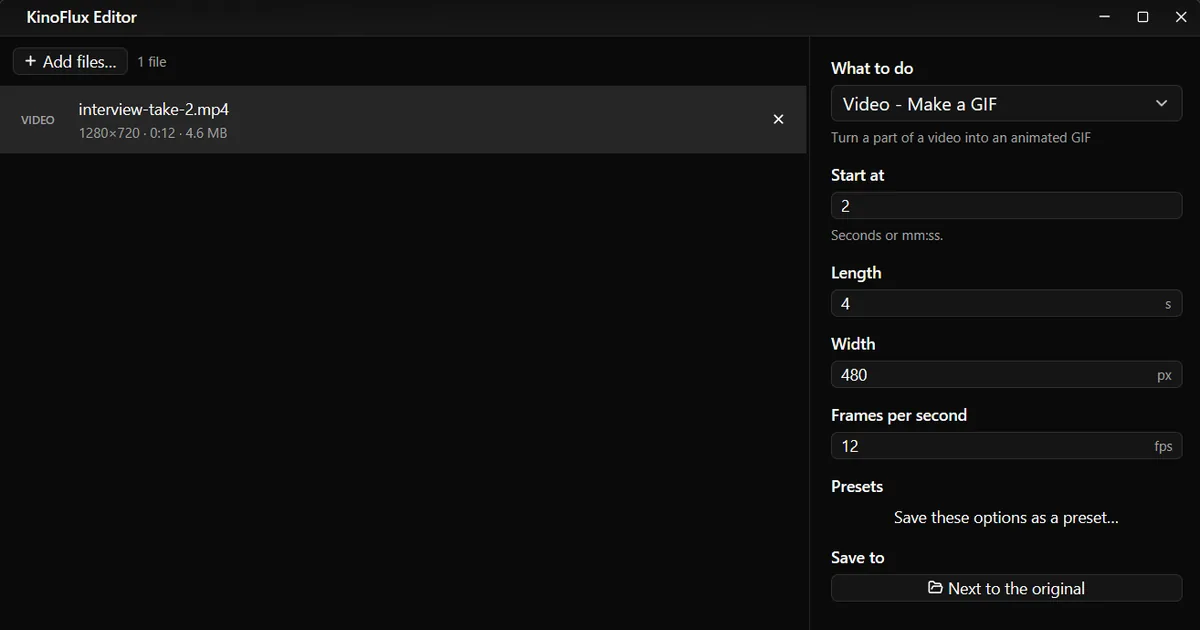
- Add the video. Drag it onto the KinoFlux Editor window.
- Pick the tool. Press Ctrl+K (Cmd+K on a Mac), type "gif" and choose Video - Make a GIF.
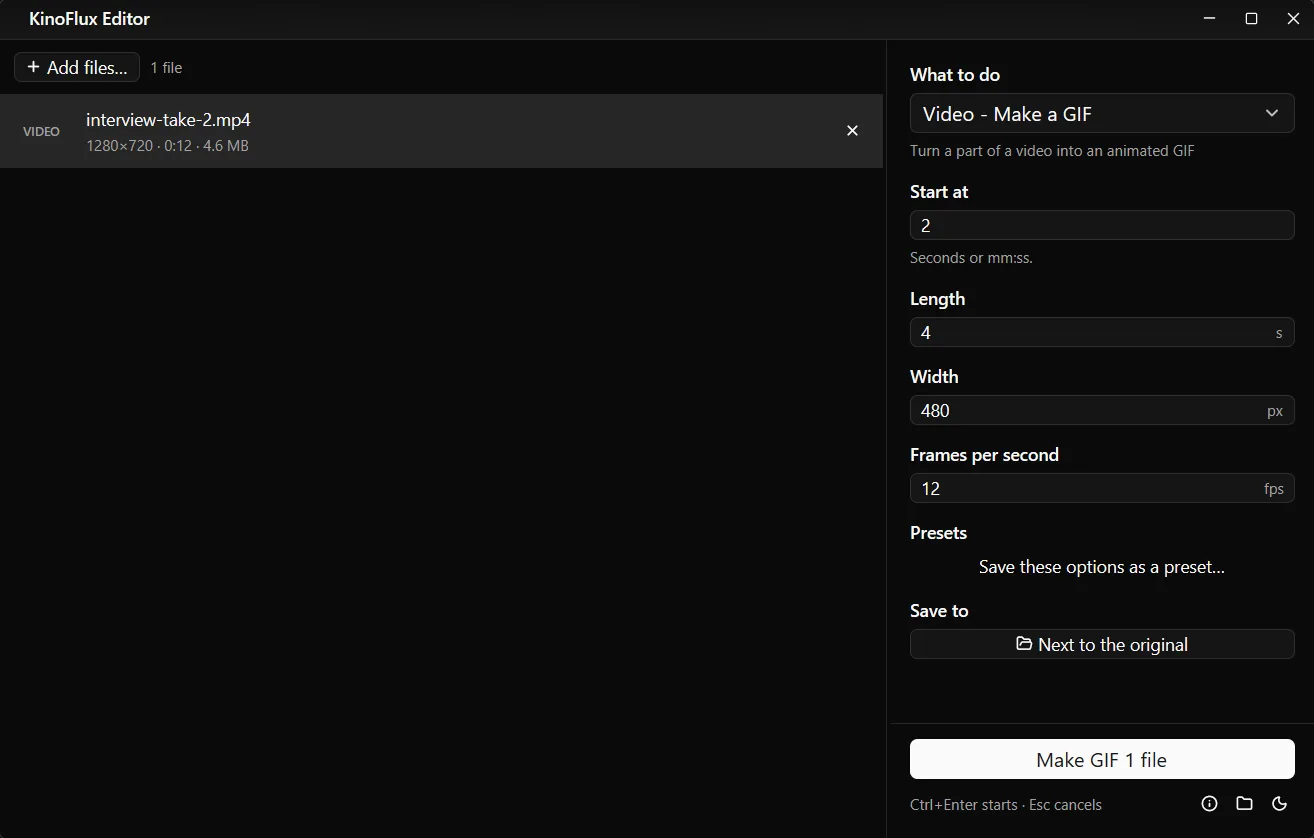
- Choose the part. Type the start in Start at (seconds or mm:ss) and the Length in seconds.
- Set the size. Width sets how wide the GIF is; the height follows. Frames per second sets how smooth it is.
- Start. Press Ctrl+Enter. The GIF is saved next to the video, for example
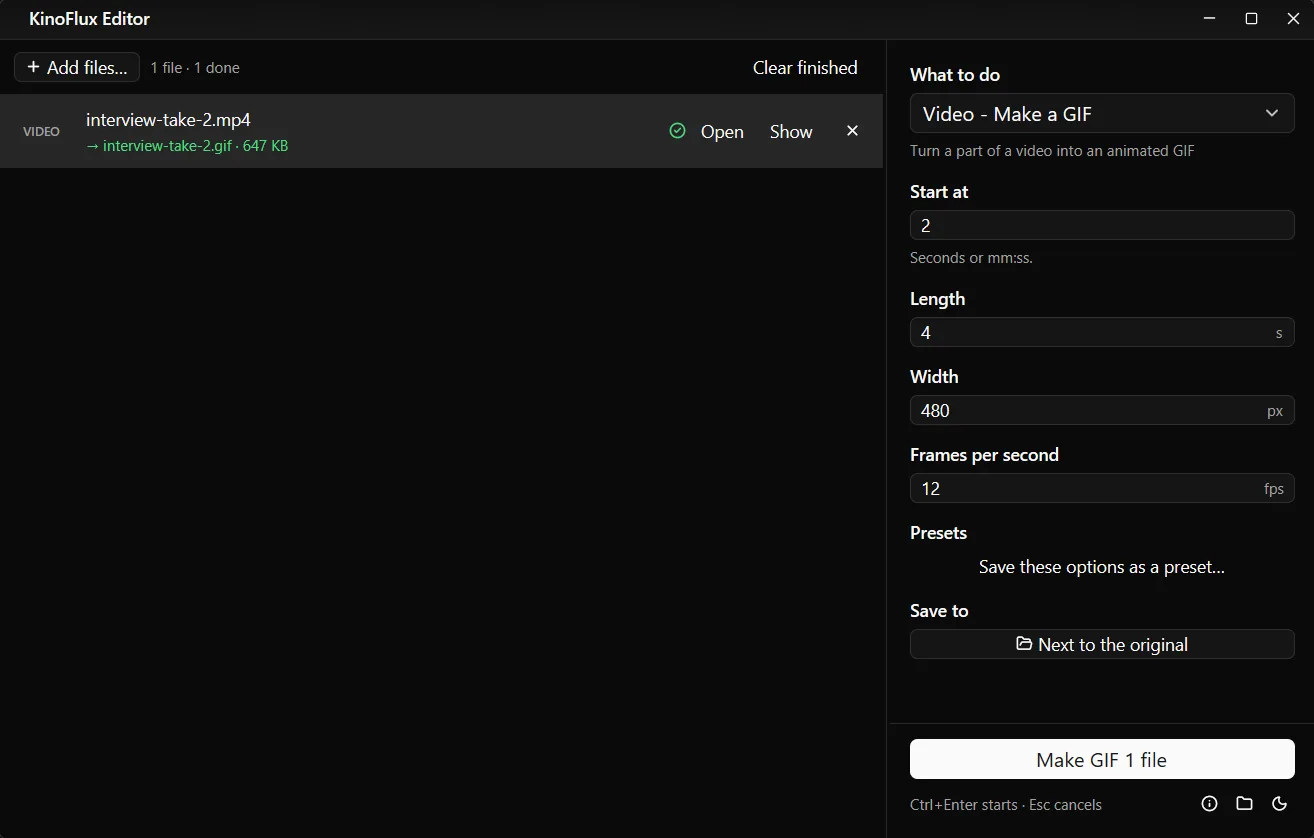
interview-take-2.gif.
How big will the GIF be?#
GIF is an old format with up to 256 colours per frame and much weaker compression than a modern video codec, so the size grows fast with length, width and frame rate. In my test, 4 seconds of a 720p clip at 480 pixels and 12 frames per second came out at 647 KB.
| To make it smaller | Effect |
|---|---|
| Shorter length | Size drops in proportion: 2 seconds is about half of 4 |
| Lower width (for example 320) | Fewer pixels per frame |
| Fewer frames per second (for example 8) | Fewer frames in total; motion looks choppier |
Good starting points: 480 pixels and 12 frames per second for chat, 640 to 800 pixels and 10 to 15 frames per second for a README or a bug report.
The tool builds a colour palette from the clip itself before it writes the GIF, so colours stay close to the original. Large smooth gradients, like a sky, can still show bands because of the 256 colour limit.
GIF options#
| Option | Range | Default |
|---|---|---|
| Start at | Seconds or mm:ss | 0 |
| Length | 0.5 to 120 seconds | 5 |
| Width | 64 to 1920 pixels | 480 |
| Frames per second | 1 to 30 | 12 |
Save one frame as a picture#
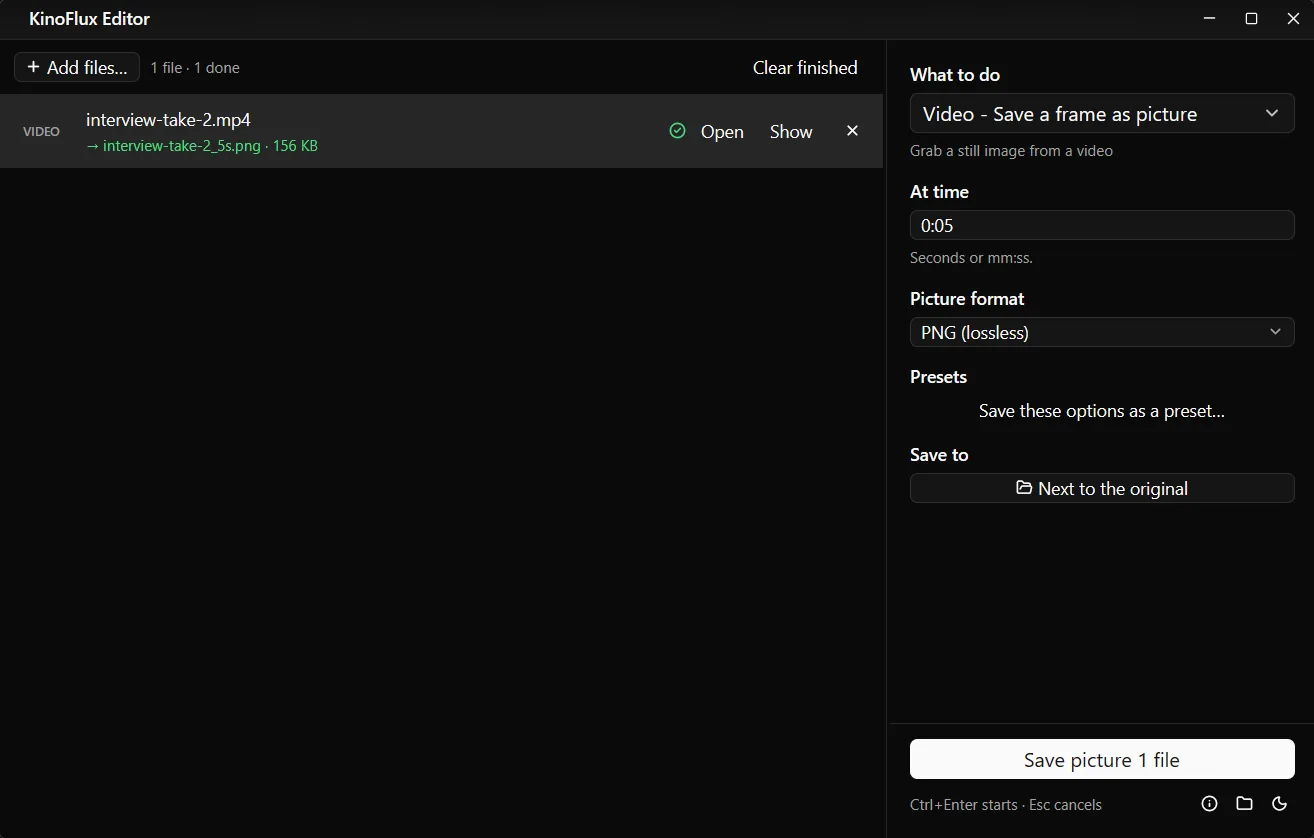
Video - Save a frame as picture has two options: At time (seconds or mm:ss) and Picture format, PNG (lossless) or JPG (smaller). The picture has the full size of the video.
From the same 720p clip, the frame at 5 seconds came out as a 156 KB PNG named interview-take-2_5s.png. The time is part of the name, so you can grab several moments one after another without overwriting anything.
If you type a time after the end of the video, the tool tells you and skips the file.
Limits#
- No sound in GIFs. That is the format, not the app.
- No text or captions. The GIF tool does not draw text on frames.
- One part per GIF. To make several GIFs from one video, run the tool again with a new start time.
- One frame per run for the picture tool. For every page of a document as images, see PDF pages to JPG instead.
Related guides#
- Want a short clip with sound instead? Trim the video.
- Need the still smaller or in a different format? Compress photos or convert images.
- Video turned sideways? Rotate it before you make the GIF.
All tools are on the KinoFlux Editor page.
Frequently asked questions
How do I make the GIF smaller?
Lower three things: the length, the width and the frames per second. A 4 second GIF at 480 pixels wide and 12 frames per second came out at 647 KB in my test. Halving the frame rate or the width cuts the size a lot.
Does the GIF have sound?
No. The GIF format cannot hold sound. If you need sound, trim the video instead and share it as an MP4.
Does the GIF loop?
Yes. GIFs made by KinoFlux Editor loop forever.
Can I pick the exact moment for a still picture?
Yes. Type the time in At time, as seconds (5 or 12.5) or mm:ss (1:05). To find the moment, play the video in any player and read the time.
Can I turn a GIF back into a video?
No. The video tools accept common video files such as MP4, MOV, MKV and WebM, not GIF.
- gif
- video to gif
- screenshot from video