
Automated AI
Code Editor.
An automated desktop development environment featuring context-aware AI chat support, a secure REST Command Server API for automation scripts, and an interactive coding practice platform with real-time test validation.
Unsigned Binary NoticeAs a solo developer, my installers are currently unsigned. Windows Defender, SmartScreen, or your browser may show a "Windows protected your PC" warning or falsely flag the file as harmful. To proceed, click "More info" → "Run anyway". Use at your own risk.
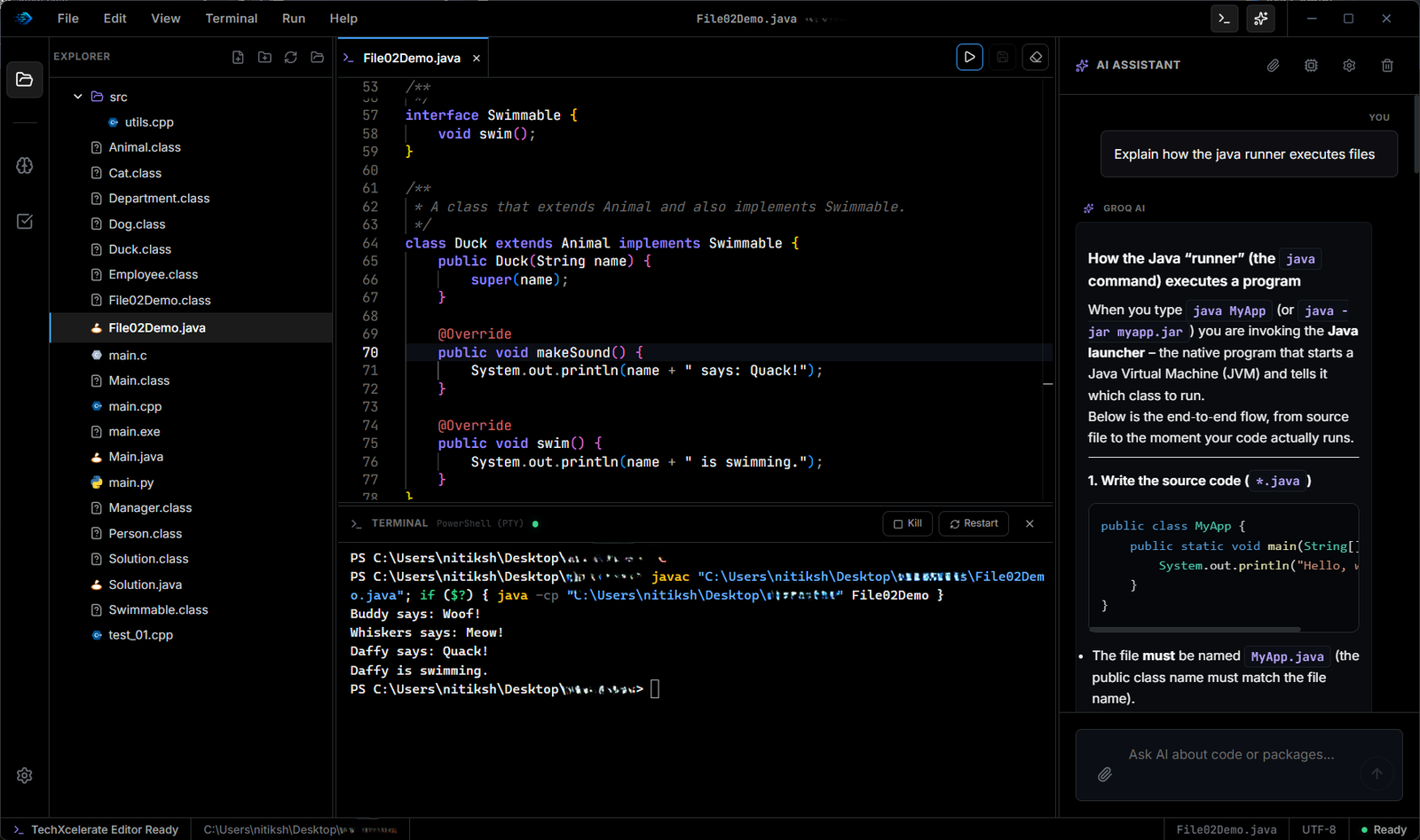
TechXcelerateEditorcombinescontext-awareAIassistance,securelocalRESTendpoints,andinteractivecodingexercisesintoonehigh-performancedesktopworkspace."

Intelligent desktop IDE for automated coding.
Built for developers who want automated workspaces. Every essential tool is integrated directly into the workspace.
Run code immediately. Support for multiple languages, zero delays, and no configuration.
Compile and execute languages like Rust, C++, Java, and Go instantly from the workspace.
Use a real terminal directly inside the editor with custom execution script actions.
Get help with errors, debugging, and coding concepts without leaving the workspace.
All code runs locally on your machine. Your projects stay private and fully offline.
True portable IDE.
Zero friction.
Traditional setups ask developers to configure environment paths, install daemons, and manage local REST servers manually before automating. TechXcelerate Editor configures everything automatically.
Command Server REST API
Exposes secure local endpoints to control the editor workspace programmatically.
Context-Aware AI Helper
Intelligent agent reads directory context and runs test suites autonomously.
Interactive Practice Challenges
Validate code in real-time with integrated test suites and interactive exercises.
Built-in AI Assistant
Get debugging help and coding guidance directly inside the app.
Your questions answered
Everything you need to know before installing TechXcelerate Editor.
No. TechXcelerate Editor is fully standalone and ready for code execution right out of the box.
Yes. The built-in Command Server REST API allows you to write scripts that control and automate the editor programmatically.
Yes. All code execution happens locally on your machine and works completely offline.
Yes. The editor is currently completely free to use.
Currently the editor supports Windows x64.
Yes. v0.1.1 includes project file system support and multi-file workflows.
Yes. As transparent indie software without costly corporate security certificates, Windows Defender SmartScreen may flag the app as unrecognized upon first run. You can click 'More Info' and 'Run Anyway' with absolute confidence. The software runs 100% offline and is completely free of tracking or malware.
Part of TechXcelerate
Manage databases withSQL Studio