
Database Management,
Beautifully Simplified
SQL Studio is your powerful desktop companion for managing MySQL databases. Visualize schemas, run queries, and perform all CRUD operations through an intuitive interface—no complex SQL required.
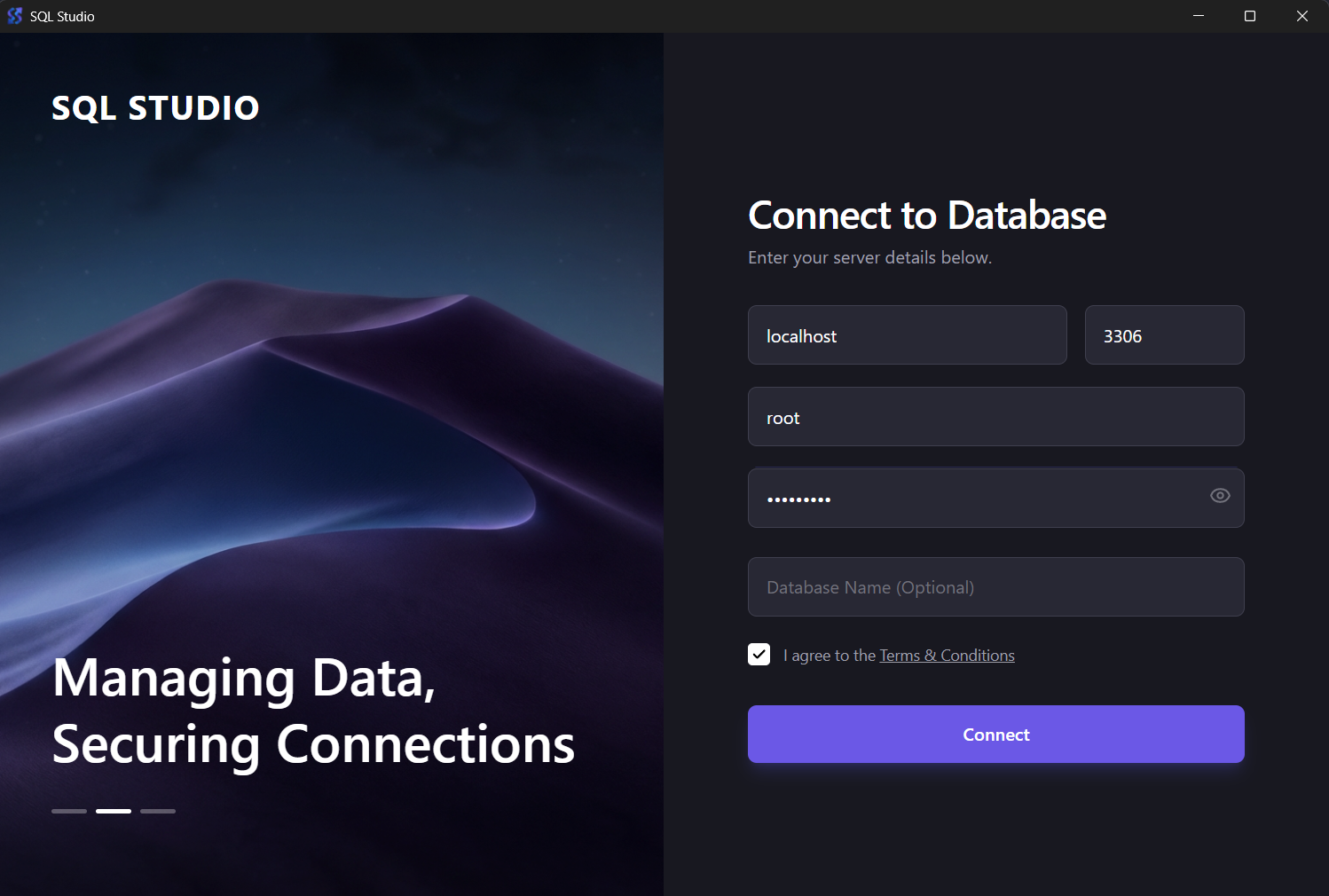
Connection Panel
Connect to your MySQL databases with secure credential management
Connect to your MySQL databases with secure credential management
Everything You Need to
Manage Your Databases
Built for database administrators, developers, and data analysts who need a powerful yet simple tool.
Database Explorer
Browse all your databases and tables in a clean, organized sidebar. Switch between databases seamlessly with one click.
Visual Table Viewer
View table structures and data in a responsive grid. Supports pagination for handling large datasets efficiently.
Create Records
Add new tables with custom columns or insert rows directly through the intuitive interface. No SQL knowledge needed.
Update Data
Edit rows inline and save changes instantly. Visual feedback ensures you know exactly what's being modified.
Safe Deletion
Remove rows or drop tables with confirmation prompts. Built-in safeguards prevent accidental data loss.
SQL Terminal
Execute custom SQL queries or run multiple commands. View results in real-time with syntax highlighting.
Data Search
Quickly find records with dynamic search and filtering. Search across columns without writing complex queries.
Secure & Local
All operations run locally on your machine. No cloud dependencies, no data sent externally. Your data stays yours.
Live Sync
One-click refresh to update database and table views. Always see the latest state of your data.
Why Choose SQL Studio?
Traditional database tools are either too complex or lack essential features. SQL Studio bridges the gap with a beautiful interface that doesn't compromise on power.
No Learning Curve
Intuitive design means you can start managing databases immediately. Visual operations eliminate the need to memorize SQL syntax.
Lightweight & Fast
Unlike bloated IDEs, SQL Studio is focused solely on database management. Launches instantly and uses minimal system resources.
Security First
Secure credential handling with TLS support. All operations are performed locally with no external data transmission.
Perfect For:
Database Administrators
Manage multiple databases efficiently with visual tools and quick access to all operations.
Developers
Test queries, inspect data structures, and debug database issues during development.
Data Analysts
Explore datasets, run ad-hoc queries, and extract insights without complex tools.
Students & Learners
Learn SQL and database concepts with immediate visual feedback for every operation.
Get Started in Minutes
Simple installation process. Download, install, and start managing databases.
Download the Installer
Visit our GitHub releases page and download the latest version for Windows.
Download SQL Studio v0.0.1Run the Installation
Execute SQL.Studio_0.0.1_x64_en-US.msi and follow the simple setup wizard. No additional dependencies needed.
Connect to Your Database
Launch SQL Studio, enter your MySQL server credentials (host, port, username, password), and you're ready to go!
System Requirements
SQL Studio requires Windows 10 or later (64-bit). macOS and Linux versions are planned for future releases. You'll need access to a MySQL server (local or remote) to manage databases.
Frequently Asked Questions
Support & Resources
Get help, report issues, or learn more about SQL Studio and TechXcelerate.
GitHub Repository
View releases, report bugs, and request features
Contact Support
Get help via email at contact@ntxm.org
Visit NTXM
Explore more products by TechXcelerate
© 2026 TechXcelerate by NTXM. SQL Studio is proprietary software provided free of charge.
Ready to Transform Your Database Workflow?
Join database professionals who've simplified their workflow with SQL Studio. Download now and experience the difference.
Join our community • Get support • Stay updated