
Make photos smaller for email and uploads, without visible loss
A form only accepts images under 1 MB, or ten photos are too big for one email. How to compress JPG, PNG and other pictures in bulk with KinoFlux Editor, pick a level, and shrink the pixel size when needed.
Nitiksh3 min readKinoFlux Editor
On this page
Photos from a phone are 3 to 10 MB each. That is too much for a job application form that accepts 1 MB, for an email with ten pictures, or for a website that should load quickly. Online compressors work, but they upload your photos first.
Image - Compress in KinoFlux Editor shrinks pictures on your own computer with a simple quality level. It can also convert them to JPEG or WebP and reduce the pixel size in the same step.
How to compress photos#
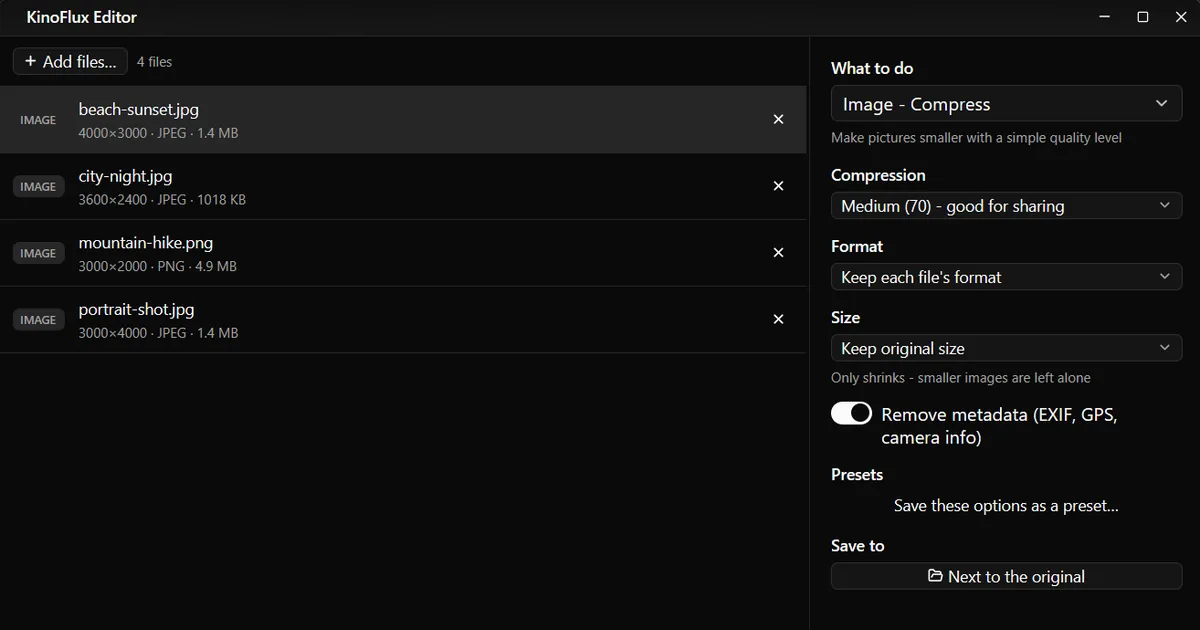
- Add the pictures. Drag the files or a folder onto the KinoFlux Editor window.
- Pick the tool. Press Ctrl+K (Cmd+K on a Mac), type "compress" and choose Image - Compress.
- Choose a level. Medium (70) - good for sharing is the default.
- Choose a format. Keep each file's format, or Convert to JPEG or Convert to WebP for the smallest files.
- Optional: limit the size. A longest side of 1920 pixels is plenty for screens and email.
- Start. Press Ctrl+Enter. Each picture is saved as
name_compressednext to the original.
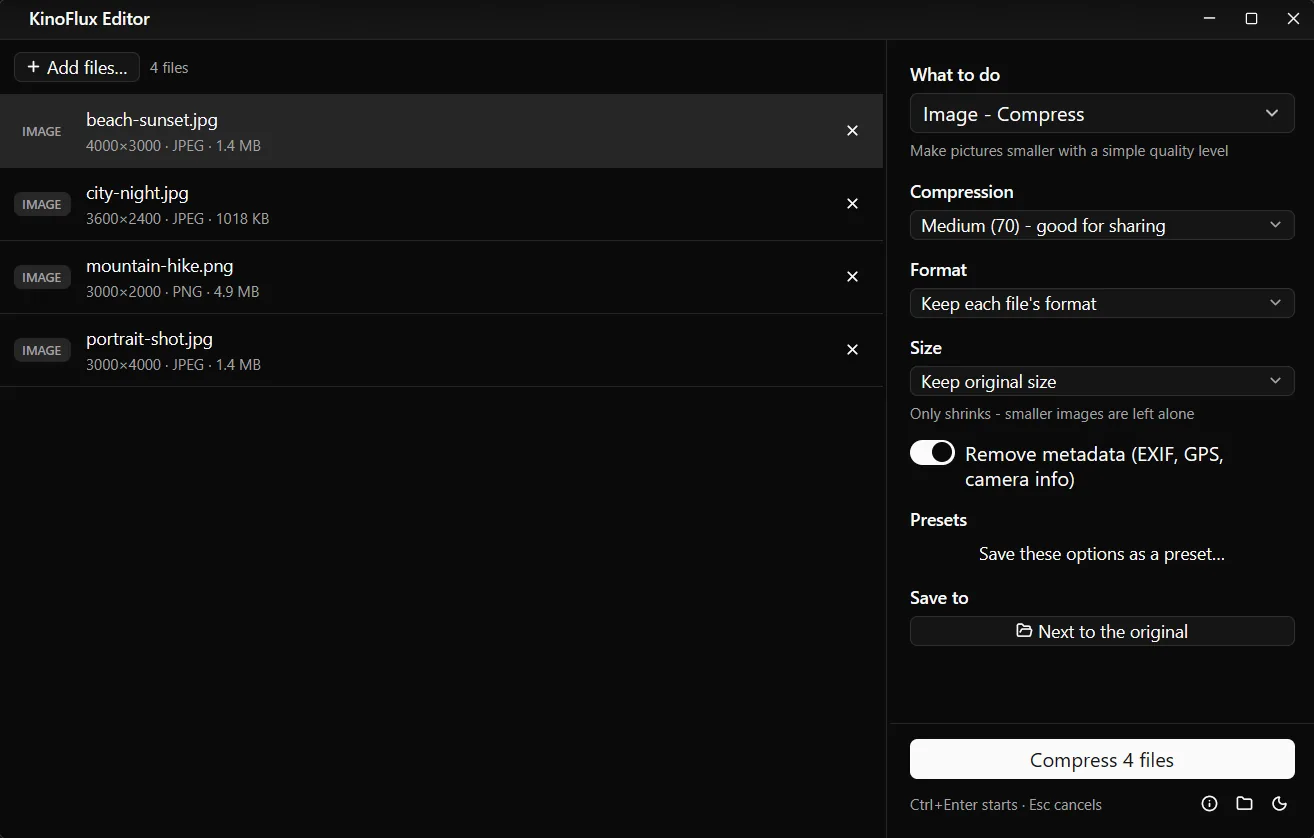
Results at Medium (70)#
| File | Pixels | Before | After |
|---|---|---|---|
| beach-sunset.jpg | 4000 x 3000 | 1.4 MB | 118 KB |
| city-night.jpg | 3600 x 2400 | 1018 KB | 87 KB |
| portrait-shot.jpg | 3000 x 4000 | 1.4 MB | 118 KB |
| mountain-hike.png | 3000 x 2000 | 4.9 MB | 1.2 MB |
The test pictures are demo images made for these guides, with smooth areas that compress very well. Real photos with grass, hair or fabric shrink less. The PNG went from 4.9 MB to 1.2 MB because Medium reduces PNGs to 256 colours; as a JPEG it would be far smaller still.
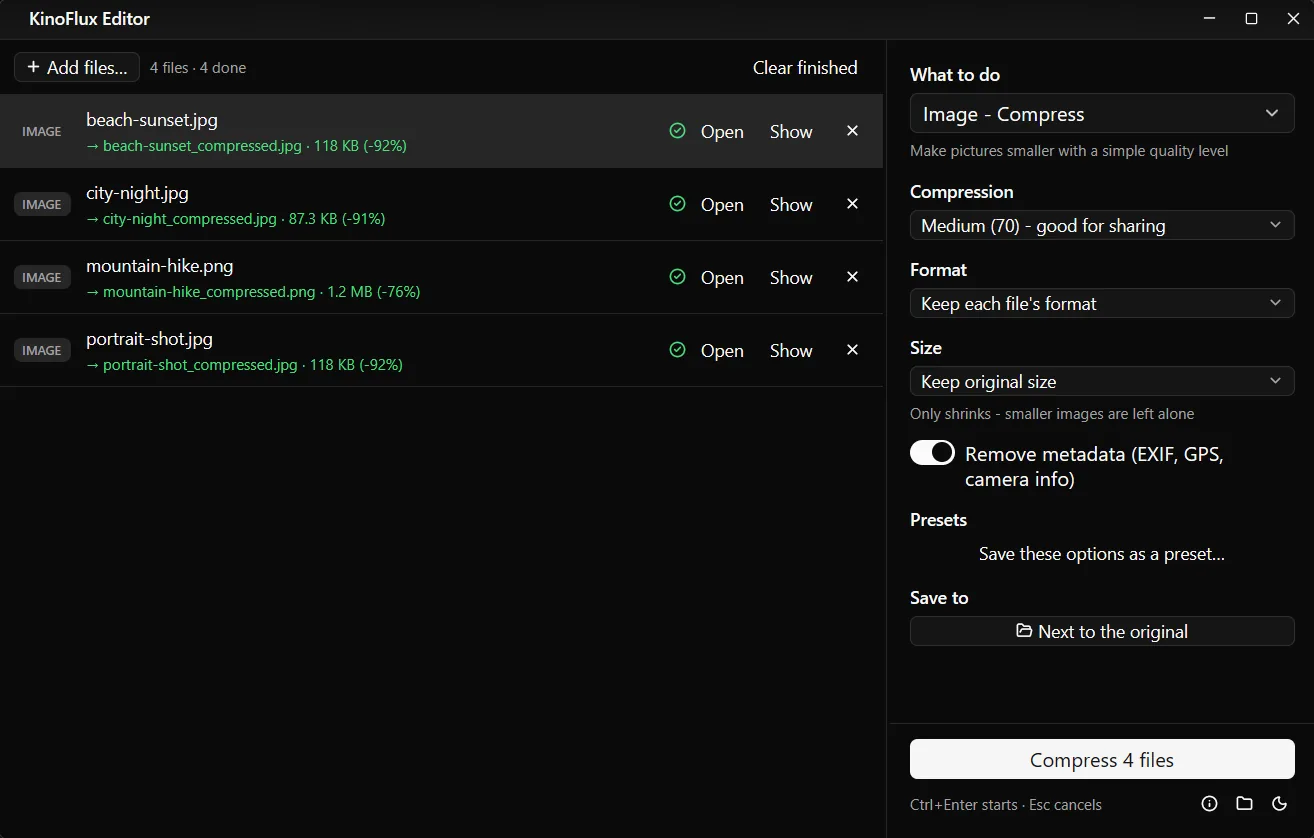
Options#
| Option | Choices | Default |
|---|---|---|
| Compression | Maximum quality (95), High (85, looks identical), Medium (70, good for sharing), Small (50), Tiny (30, visible loss) | Medium (70) |
| Format | Keep each file's format, Convert to JPEG, Convert to WebP | Keep each file's format |
| Size | Keep original size, or longest side 3840, 2560, 1920 or 1280 px | Keep original size |
| Remove metadata (EXIF, GPS, camera info) | on or off | on |
Size only ever shrinks: a picture already smaller than the limit keeps its size. The picture is also turned upright using the phone's rotation flag, so photos do not end up sideways.
Quick recipes#
| Goal | Settings |
|---|---|
| Email ten holiday photos | Medium, Convert to JPEG, longest side 1920 |
| Form upload under 1 MB | Medium, longest side 1920; if still too big, Small |
| Website images | Medium or High, Convert to WebP, longest side 1920 or 1280 |
| Keep a high quality archive copy | High (85), keep size |
Limits#
- Each save loses a little. Compressing a compressed JPEG again makes it softer each time. Keep your originals.
- No target size in KB. Unlike the video tool, there is no "make it exactly 500 KB" option. Combine a level with a smaller Size.
- HEIC becomes PNG with Keep format. Pick Convert to JPEG for iPhone photos.
- Transparency becomes white in JPEG. Use WebP or keep PNG for logos with a see-through background.
- Animated GIFs stay animated only when the output is GIF too; for other formats only the first frame is kept.
Related guides#
- Need an exact pixel size or an Instagram format? Resize and crop images.
- Photos in HEIC, WebP or AVIF? Convert them to JPG.
- Sending scans or receipts? Put them in one PDF.
All tools are on the KinoFlux Editor page.
Frequently asked questions
Which compression level should I use?
Medium (70) is the default and good for sharing. High (85) looks identical to the original for most photos. Small (50) and Tiny (30) make very small files, and Tiny shows visible loss.
How do I get a photo under 1 MB or 500 KB?
Start with Medium. If the file is still too big, also set Size to a longest side of 1920 or 1280 pixels. Fewer pixels shrink a file more than a lower quality does.
Why did my PNG change colours slightly?
At Medium or lower, PNG files are reduced to at most 256 colours with dithering, which makes them much smaller. For photos, convert to JPEG or WebP instead; for screenshots and logos the change is usually hard to see.
What happens to iPhone HEIC photos?
HEIC cannot be written, so with Keep each file's format they become PNG, which is large. Choose Convert to JPEG under Format for HEIC photos.
Is the GPS location removed?
Yes, by default. Remove metadata (EXIF, GPS, camera info) is on. Switch it off to keep the camera data.
- compress images
- reduce photo size
- jpeg
- png