
Fix the page order of a PDF, or turn sideways pages upright
A two-sided scan comes out as all fronts and then all backs, a page is in the wrong place, or one page is sideways. How to reorder, interleave, move, repeat and rotate PDF pages with KinoFlux Editor, offline.
Nitiksh4 min readKinoFlux Editor
On this page
You scan a stack of two-sided letters with a scanner that only scans one side. First all the fronts, then you turn the stack and scan all the backs. The PDF now reads 1, 3, 5, 6, 4, 2. Or a form came back with page 7 in front of page 2, or one page is sideways because the original was landscape.
KinoFlux Editor fixes this without printing or rescanning:
- PDF - Arrange pages reorders pages: custom order, reverse, odd then even, two-sided scans, repeat, move or insert another PDF.
- PDF - Rotate pages turns all or some pages by 90 or 180 degrees.
How to fix a two-sided scan#
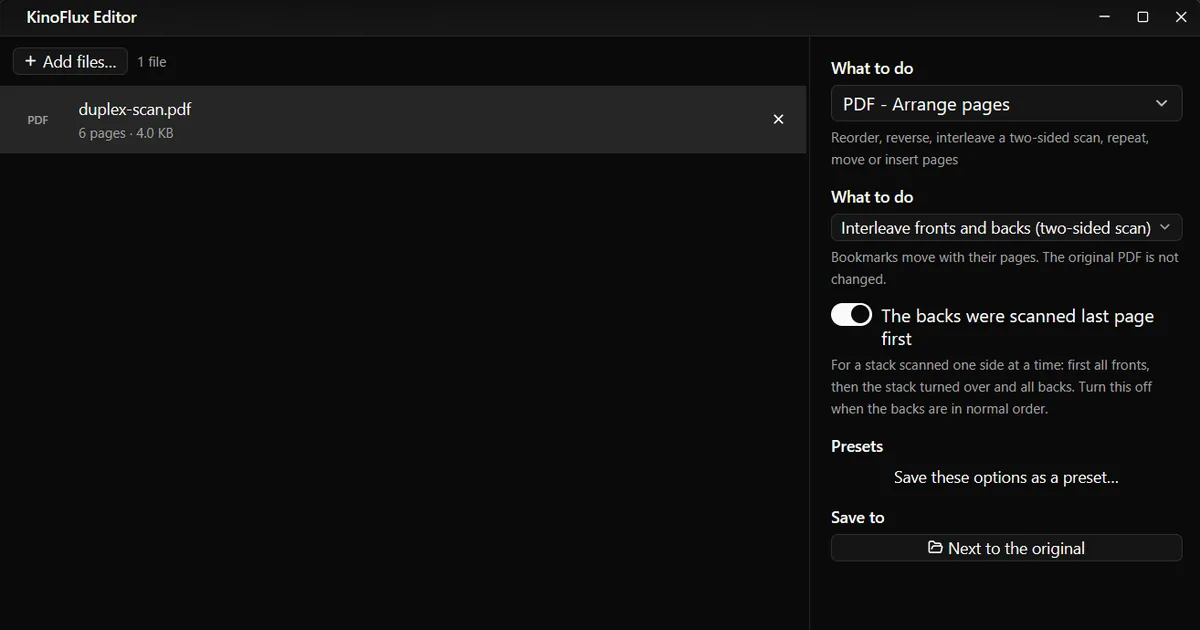
- Add the PDF. Drag it onto the KinoFlux Editor window.
- Pick the tool. Press Ctrl+K (Cmd+K on a Mac), type "arrange" and choose PDF - Arrange pages.
- Choose the mode. Set What to do to Interleave fronts and backs (two-sided scan).
- Check the switch. The backs were scanned last page first is on by default. That is what happens when you turn the whole stack over.
- Start. Press Ctrl+Enter. You get
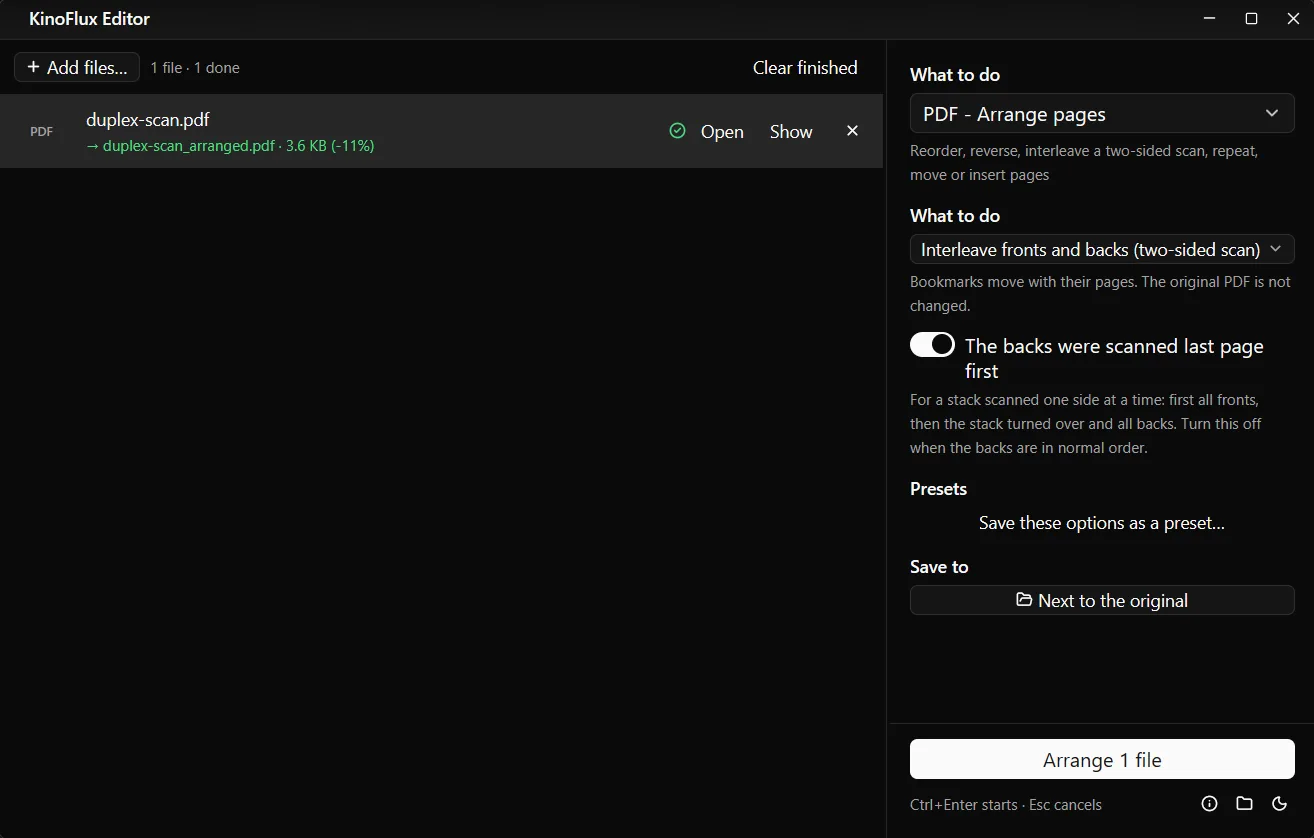
name_arranged.pdfnext to the original.
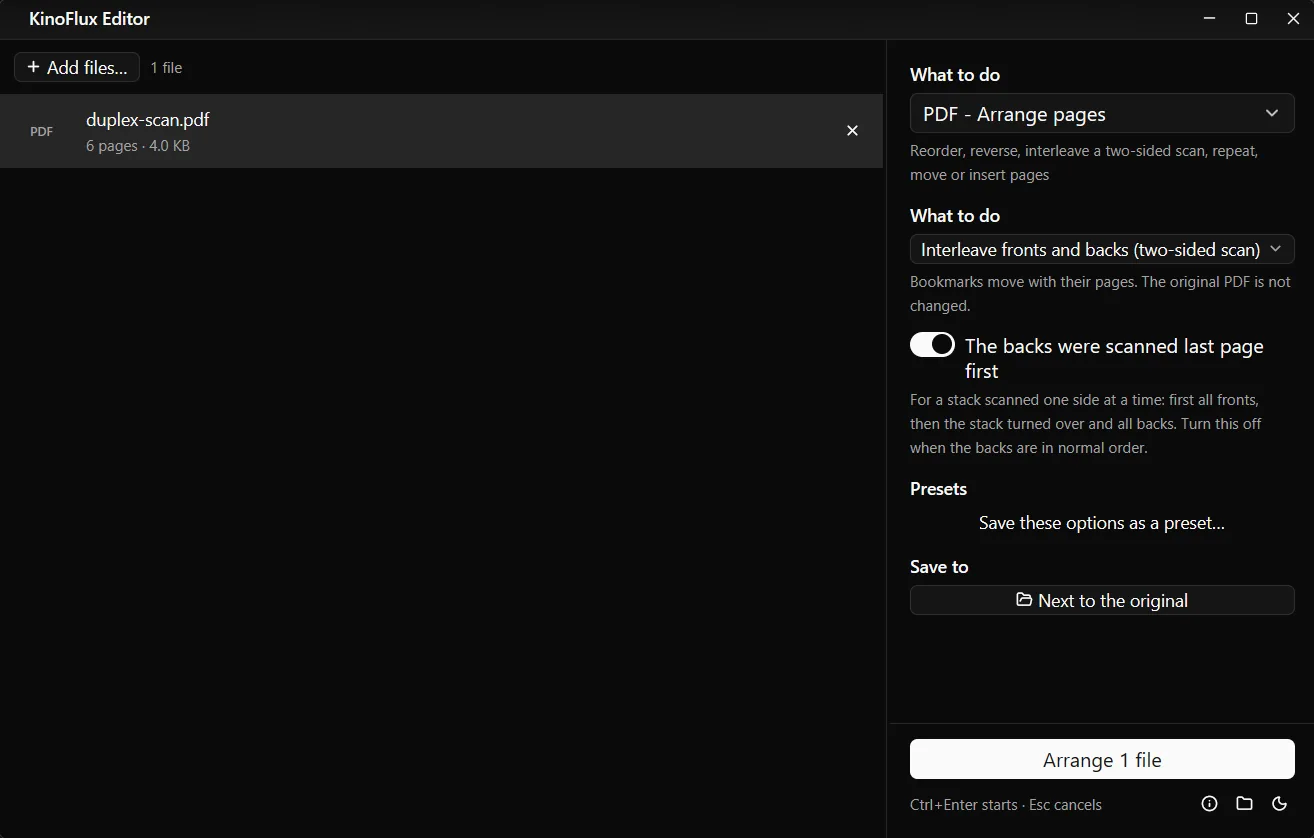
Result#
The demo scan made for these guides had its pages in the order a one-sided scanner produces: 1, 3, 5, 6, 4, 2. After the run, duplex-scan_arranged.pdf read:
| Page | Content |
|---|---|
| 1 | Sheet 1, front |
| 2 | Sheet 1, back |
| 3 | Sheet 2, front |
| 4 | Sheet 2, back |
| 5 | Sheet 3, front |
| 6 | Sheet 3, back |
Other ways to rearrange#
| What to do | Example | Result for a 6-page PDF |
|---|---|---|
| Custom order | New order 1,4,2,3,5-z | 1, 4, 2, 3, 5, 6 |
| Reverse (last page first) | 6, 5, 4, 3, 2, 1 | |
| Odd pages, then even pages | Odd pages first | 1, 3, 5, 2, 4, 6 |
| Repeat pages | 2 copies, side by side | 1, 1, 2, 2, 3, 3 ... |
| Repeat pages | 2 copies, whole document again | 1 to 6, then 1 to 6 |
| Move pages | Pages 5-6, at the start | 5, 6, 1, 2, 3, 4 |
| Insert another PDF | Insert it after page 2 | 1, 2, the other PDF, 3 ... |
In page lists, z means the last page and r2 the second to last. 8-5 counts backwards, and 1-z:odd keeps only the odd pages of a range. In Custom order a page may appear twice, and pages you leave out are dropped.
Rotate one page or all of them#
- Add the PDF and choose PDF - Rotate pages.
- Pick Rotate: 90° clockwise (default), 180° or 90° counter-clockwise.
- In Pages, type the pages to turn, for example
2. Leave it empty for every page. - Press Ctrl+Enter. You get
name_rotated.pdf.
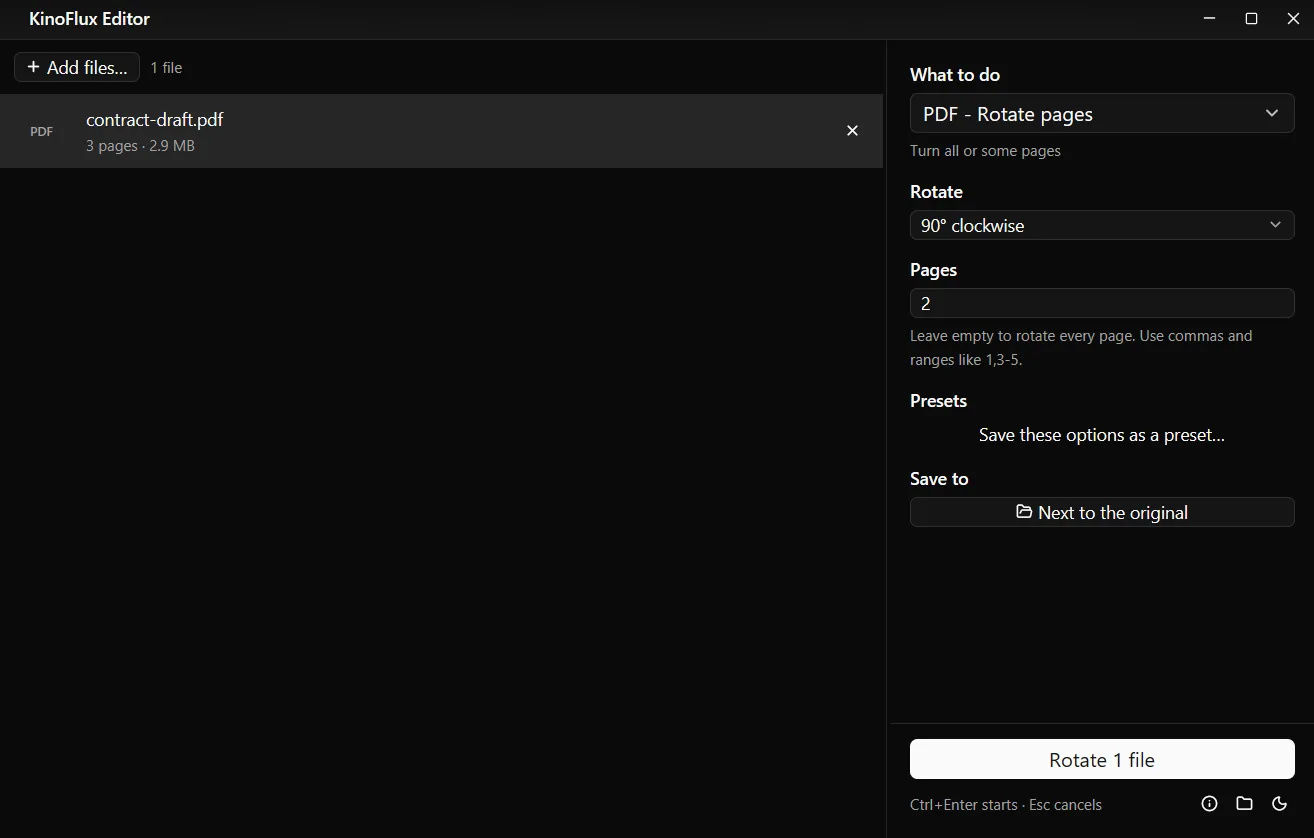
In the test, only page 2 of contract-draft_rotated.pdf was turned; pages 1 and 3 stayed as they were. The text is not saved again, so the file stays sharp and searchable.
Limits#
- No page preview. You choose pages by number. Open the PDF in a viewer first to note the numbers.
- One mode per run. To interleave and then move a page, run the tool twice on the result.
- Locked PDFs must be unlocked first with PDF - Remove the password.
- Rotation is in steps of 90 degrees. A slightly crooked scan cannot be straightened.
Related guides#
- Removing pages or splitting into files: merge, split and compress PDFs.
- Numbering the pages after reordering: add page numbers to a PDF.
- Turning photos of pages into a PDF: combine images into one PDF.
All tools are on the KinoFlux Editor page.
Frequently asked questions
How do I type a custom page order?
Choose Custom order and type the pages in the new order, for example 1,3,2,4-z. The letter z means the last page, so 1-z is every page. A page you leave out is removed.
My scanner fed the backs in normal order, not reversed. What do I change?
Switch off The backs were scanned last page first. Then the tool takes the fronts and backs in the order they are in the file.
Do bookmarks still work after rearranging?
Yes. Bookmarks move with their pages. The original PDF is not changed; you get a new file named name_arranged.pdf.
How do I rotate only one page?
Use PDF - Rotate pages, choose the angle and type the page number in Pages, for example 2, or 1,3-5 for several. Leave Pages empty to turn every page.
Does rotating lower the quality?
No. Rotation only changes how the page is shown. Text and pictures are not saved again, so nothing is lost.
- pdf pages
- scan
- rotate pdf
- pdf tools