
Put a password on a PDF, or remove one you know
Payslips, bank statements and contracts should not travel as open PDFs, and some PDFs you receive ask for a password every single time. How to lock a PDF with a password, and unlock one when you know the password, with KinoFlux Editor.
Nitiksh3 min readKinoFlux Editor
On this page
Payslips, tax forms, medical letters and signed contracts end up as PDF attachments in mailboxes and cloud folders for years. A password means a lost laptop or a wrongly forwarded email does not hand them out. The other side of it: your bank sends statements locked with your date of birth, and you have to type it every time you open one.
KinoFlux Editor has both tools:
- PDF - Add a password encrypts a PDF so it needs a password to open.
- PDF - Remove the password saves an unlocked copy of a PDF when you know the password.
How to password protect a PDF#
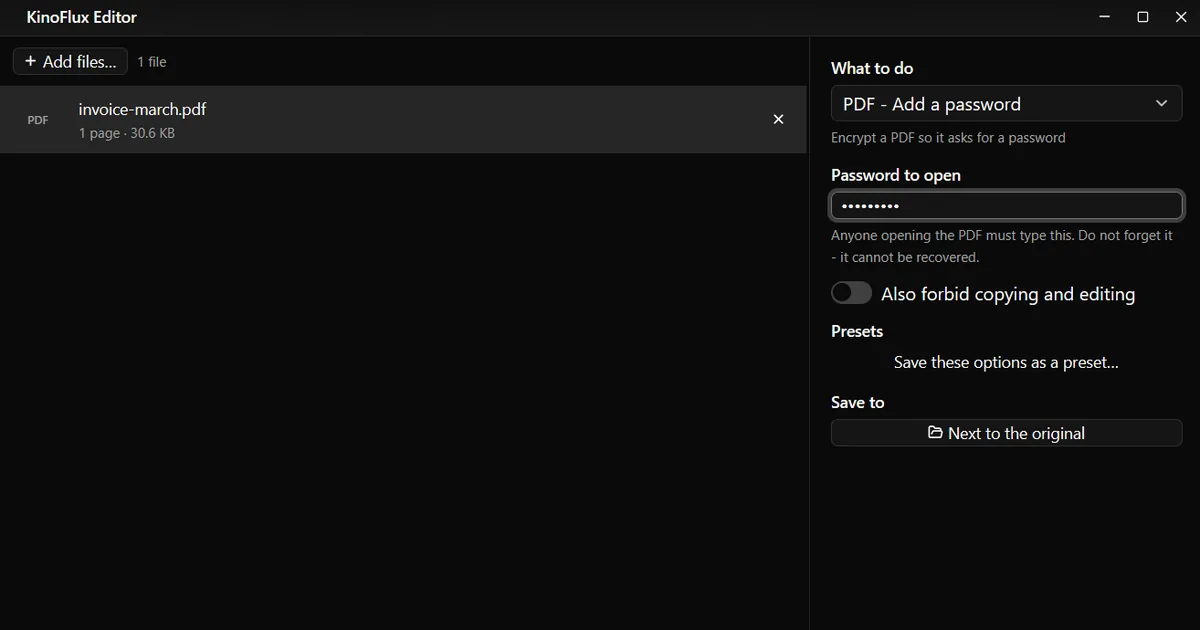
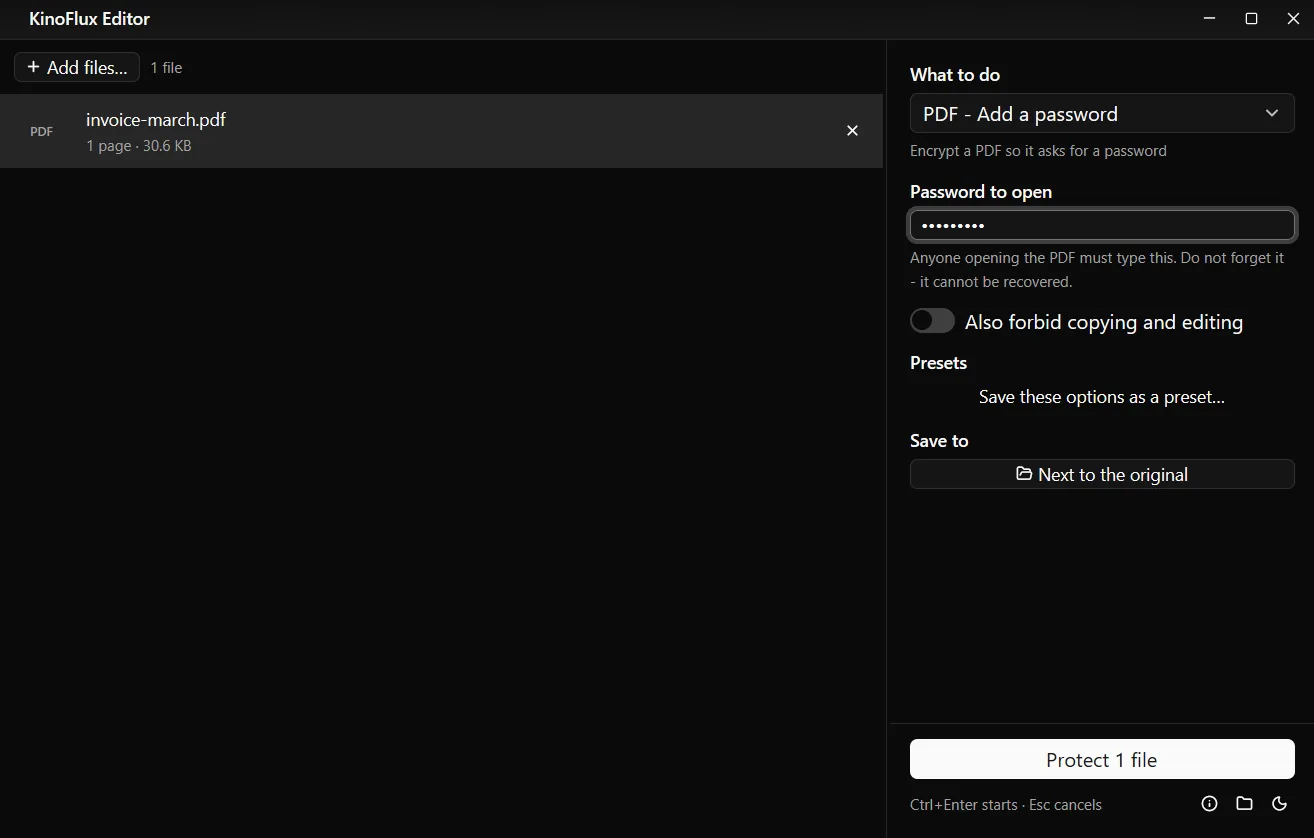
- Add the PDF. Drag it onto the KinoFlux Editor window. You can add several; they all get the same password.
- Pick the tool. Press Ctrl+K (Cmd+K on a Mac), type "password" and choose PDF - Add a password.
- Type the password. Into Password to open. The letters are hidden.
- Optional: restrict copying. Switch on Also forbid copying and editing.
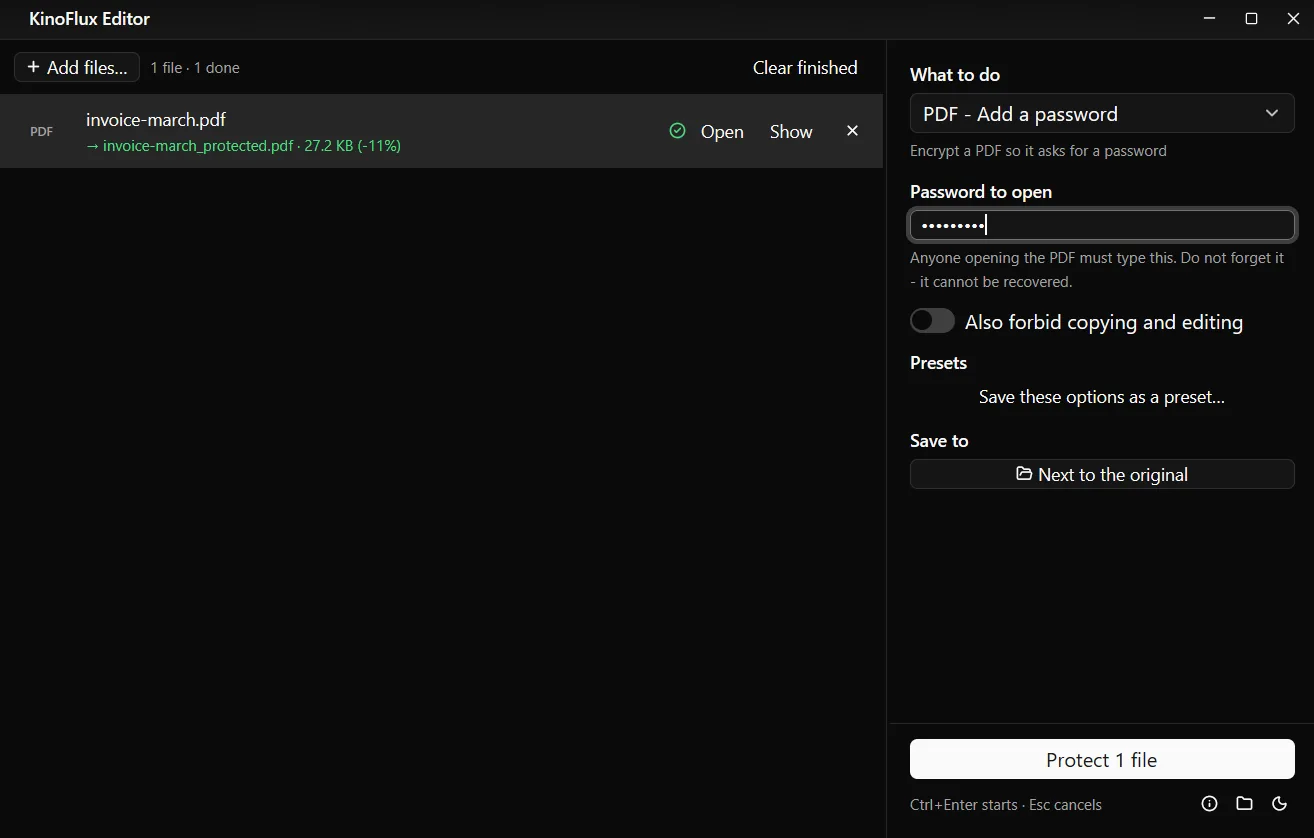
- Start. Press Ctrl+Enter. You get
name_protected.pdfnext to the original.
Result#
| File | Size | Opens without a password |
|---|---|---|
| invoice-march.pdf (demo invoice made for these guides) | 30.6 KB | yes |
| invoice-march_protected.pdf | 27.2 KB | no, asks for the password; encrypted with AES-256 |
| invoice-march_protected_unlocked.pdf | 30.6 KB | yes |
The protected copy came out a little smaller because the file is rewritten while it is encrypted. The pages are the same. Checked afterwards, it could not be opened without the password and opened normally with it.
Important: the original file is not touched. If the point is to keep the document locked, delete the unlocked original after checking that the new file opens with your password.
Remove a password you know#
- Add the locked PDF and choose PDF - Remove the password.
- Type the password into Current password. Leave it empty if the PDF opens without a password but blocks printing or copying.
- Press Ctrl+Enter. You get
name_unlocked.pdf, which opens without asking.
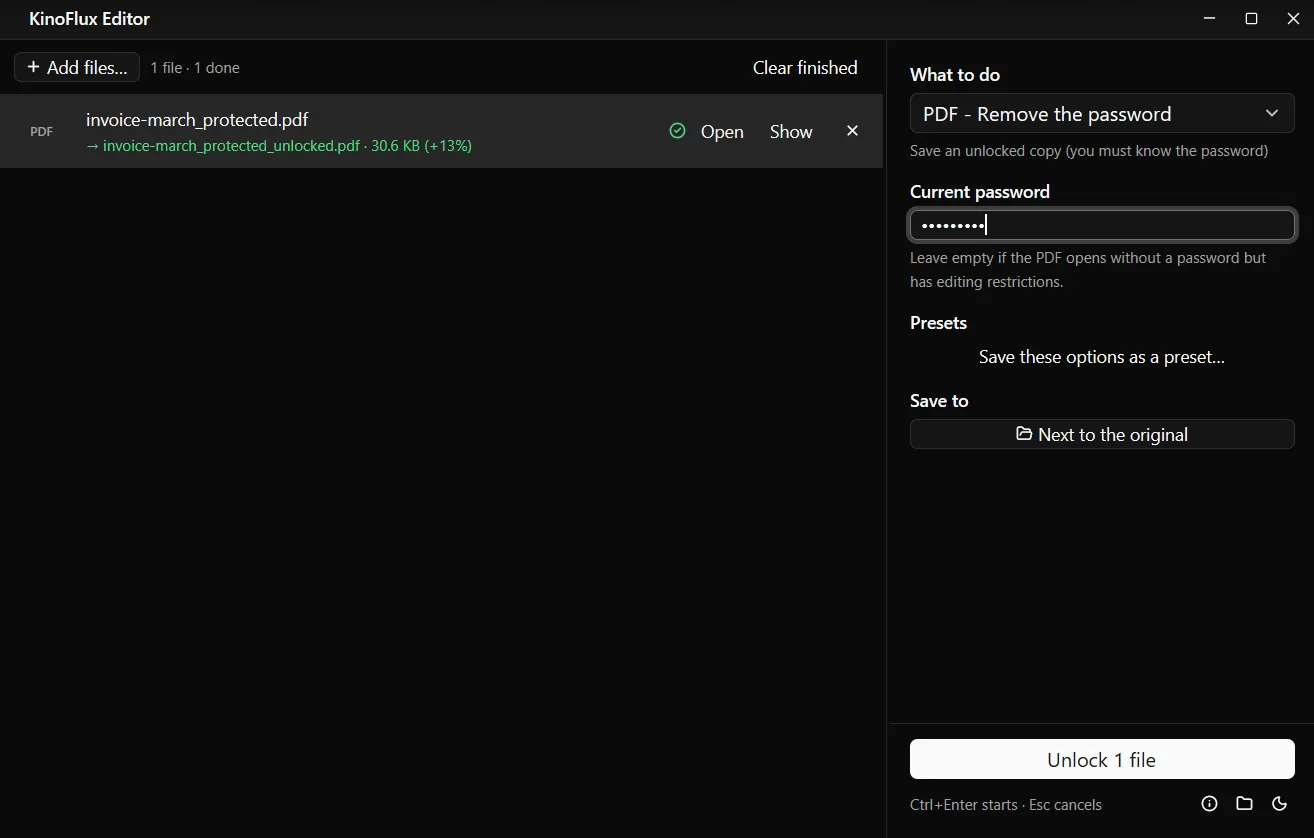
The pages, text and pictures are copied as they are, in both directions. Nothing is printed again or converted, so quality does not change.
Options#
| Tool | Option | Default |
|---|---|---|
| Add a password | Password to open (hidden) | empty, required |
| Add a password | Also forbid copying and editing | off |
| Remove password | Current password (hidden) | empty |
Limits#
- No password recovery. A forgotten password cannot be removed with this app.
- One password for all files in a run. Add files in separate runs for different passwords.
- Copy and edit limits are weak protection. Anyone with the password can lift them, and some programs ignore them. Do not rely on them alone.
- The file name is not hidden. Someone without the password still sees the name and size of the file. Name it neutrally if that matters.
- Other locked files. Word and Excel passwords are not handled. Convert to PDF first, then add a password.
Related guides#
- Removing your name and company from the file info before sending: remove hidden metadata.
- Joining several PDFs into one before locking it: merge, split and compress PDFs.
- Marking a document CONFIDENTIAL on every page: add a watermark to a PDF.
All tools are on the KinoFlux Editor page.
Frequently asked questions
Can KinoFlux Editor open a PDF if I forgot the password?
No. PDF - Remove the password needs the current password. It does not guess or crack passwords.
How strong is the protection?
The PDF is encrypted with AES-256, the strongest method in the PDF standard. How safe it is depends mostly on the password: use a long one that is not a word or a date.
Does the password get saved anywhere?
No. Password fields are never written to the app's settings or history. While the job runs, the password is passed to the bundled qpdf program on your computer, and nothing is sent anywhere.
Will the PDF open on phones and in browsers?
Yes. Chrome, Edge, Firefox, Safari, Adobe Reader and the phone PDF viewers ask for the password and then show the file. Very old PDF readers from before 2008 may not support AES-256.
What does Also forbid copying and editing do?
It marks the PDF so viewers block copying text, editing, adding comments and moving pages. Because the same password opens the file and controls these limits, anyone who knows the password can lift them. The real protection is the password to open.
- pdf password
- encryption
- privacy
- pdf tools