
Make a landscape video vertical (9:16) for Reels, Shorts and TikTok
A horizontal video looks tiny on a phone feed, and cropping it cuts off people's heads. How to turn it into 9:16, 1:1 or 4:5 with KinoFlux Editor, either cropped or fitted on a blurred background.
Nitiksh4 min readKinoFlux Editor
On this page
You filmed in landscape, and now the clip should go on Instagram Reels, YouTube Shorts, TikTok or a Story. Uploaded as it is, it shows as a thin strip in the middle of a tall phone screen. Cropping it in the app often cuts off what matters.
Video - Change aspect ratio in KinoFlux Editor reshapes the frame on your own computer. You pick the shape, for example 9:16, and how to fill it: crop the sides, or fit the whole picture on a blurred copy of the video or on coloured bars.
How to make a video vertical#
- Add the video. Drag it onto the KinoFlux Editor window.
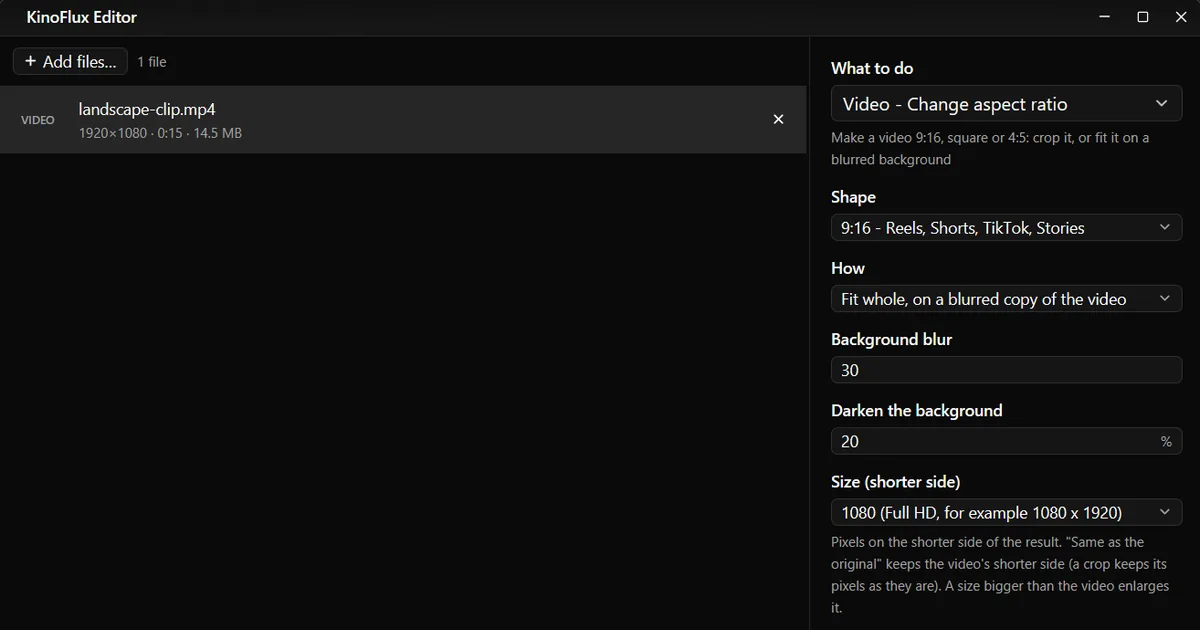
- Pick the tool. Press Ctrl+K (Cmd+K on a Mac), type "aspect" and choose Video - Change aspect ratio.
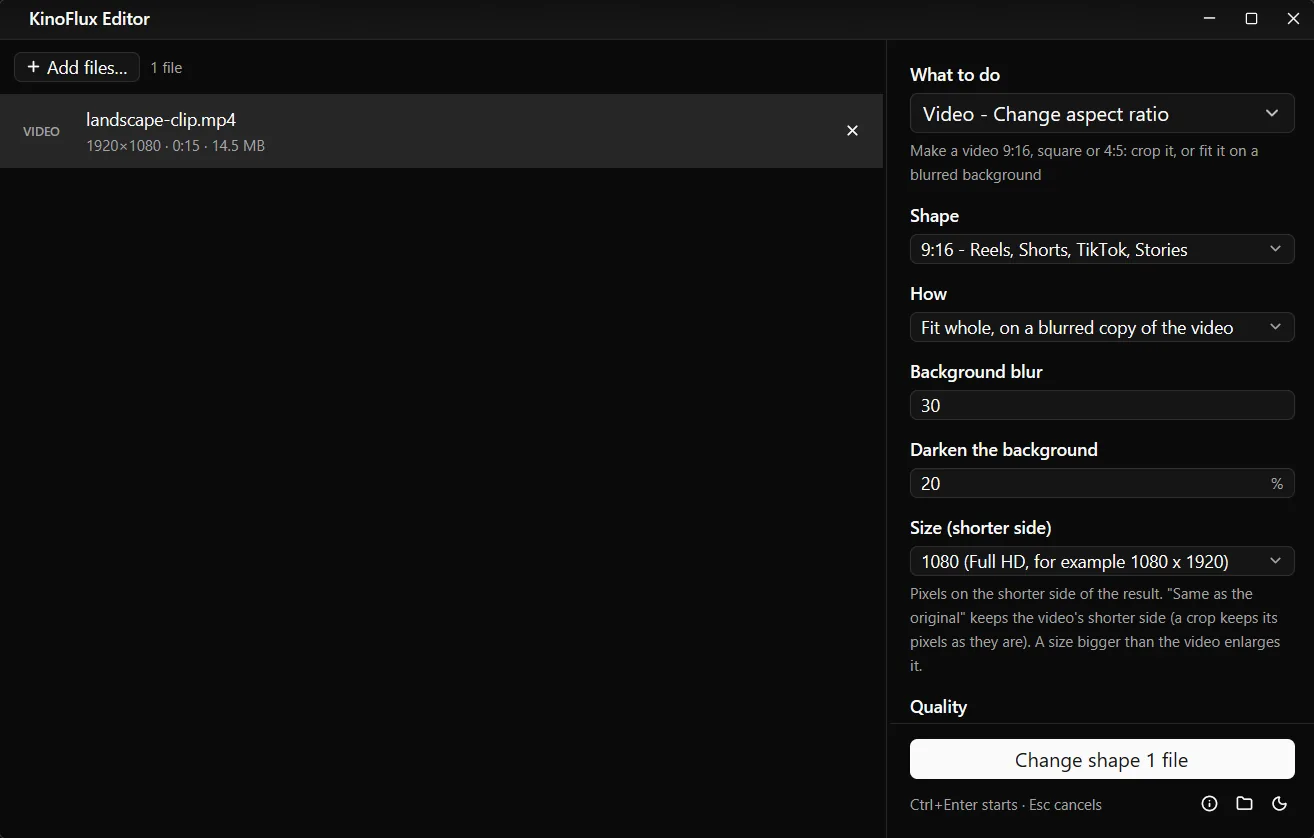
- Pick the shape. 9:16 - Reels, Shorts, TikTok, Stories is the default.
- Pick how to fill it. Fit whole, on a blurred copy of the video keeps everything. Crop to fill fills the screen but cuts the sides.
- Set the size. Under Size (shorter side), choose 1080 for a 1080 x 1920 result.
- Start. Press Ctrl+Enter. The result is saved next to the original as
name_9x16.mp4.
What the result looks like#
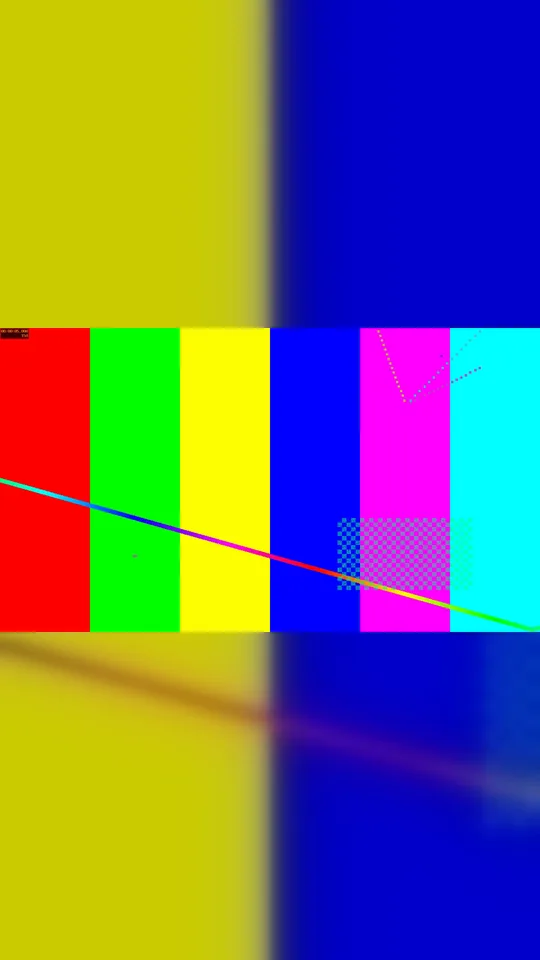
The test file is a 15 second 1920x1080 demo clip of 14.5 MB. With 9:16, the blurred background and size 1080, the result is a 1080x1920 MP4 of 4.7 MB. The whole original picture sits in the middle at full width, with a blurred, slightly darkened copy above and below.
The three ways to fill the frame#
| How | What you get | Extra options |
|---|---|---|
| Crop to fill | The screen is full, the sides (or top and bottom) are cut off | Crop position: 0 left or top, 50 centre, 100 right or bottom |
| Fit whole, on a blurred copy | The whole picture, the rest filled with a soft copy of the video | Background blur (5 to 80), Darken the background (0 to 80%) |
| Fit whole, on coloured bars | The whole picture, plain bars around it | Bar colour: black, white or a colour code like #1A1A1A |
Shapes you can choose#
| Shape | Typical use |
|---|---|
| 9:16 | Reels, Shorts, TikTok, Stories |
| 1:1 | Square posts |
| 4:5 | Instagram portrait posts |
| 16:9 | YouTube, TV, laptop screens |
| 4:3 and 3:4 | Classic TV, presentations, portrait |
| 2:3 | |
| 21:9 | Cinema wide |
| Custom | Type width:height, for example 5:4, 2.39:1 or 1.91:1 |
Size (shorter side) is the number of pixels on the short side of the result: 1080 gives 1080 x 1920 for 9:16, or 1080 x 1080 for 1:1. "Same as the original" keeps the shorter side of the source. Quality (default High) and Encoder (CPU, or GPU when available) work as in the other video tools.
Limits#
- It re-encodes. Every frame is drawn again, so long or 4K videos take a while.
- The crop position is fixed. The crop stays in one place for the whole video. It does not follow a moving person.
- The result is MP4 with H.264 video. The sound is kept as part of the new file.
- A size bigger than the video enlarges it, which does not add detail. For a 720p source, 720 or 1080 is plenty.
Related guides#
- Video plays sideways rather than being the wrong shape? Rotate it instead.
- Add captions for people who watch without sound: add subtitles.
- Put your logo in a corner: add a logo to a video.
- For photos, the image tool Resize to a preset has Instagram and Story sizes.
All tools are on the KinoFlux Editor page.
Frequently asked questions
Is this the same as rotating the video?
No. Rotating turns the picture on its side. Changing the aspect ratio keeps the picture upright and changes the frame around it, by cropping or by adding a background.
Crop or blur: which is better?
Crop fills the whole screen but cuts off the sides of a landscape video, about two thirds of it for 9:16. Blur keeps the whole picture and fills the rest with a soft copy of the video. Use crop when the action is in the middle, blur when everything in the frame matters.
What size should a Reel or Short be?
1080 x 1920 is the common size. In KinoFlux Editor, set Size (shorter side) to 1080 with the 9:16 shape.
Can I keep a part on the left instead of the centre?
Yes. With Crop to fill, Crop position chooses which part is kept: 0 is the left (or top), 50 the centre and 100 the right (or bottom).
Can I make a vertical video horizontal for YouTube?
Yes. Choose 16:9. A vertical clip is then placed in the middle on a blurred background or on bars, or cropped to a wide strip.
- vertical video
- 556
- reels
- aspect ratio