
Open old .doc, .xls and .ppt files, and move between Office and OpenDocument
Old .doc, .xls and .ppt files from the 2000s trigger warnings or open in compatibility mode, and .odt or .ods files from LibreOffice users confuse Word. How to convert them all, plus documents to web pages and back, with KinoFlux Editor.
Nitiksh4 min readKinoFlux Editor
On this page
Everyone has a few: a CV saved as .doc in 2006, a household budget in .xls, a presentation in .ppt. Opening them means warnings, "compatibility mode", or a site that rejects the upload. The same happens with OpenDocument files (.odt, .ods, .odp) from people who use LibreOffice: some Word and Excel versions mangle them or refuse them.
KinoFlux Editor has five conversion tools for this, all without options:
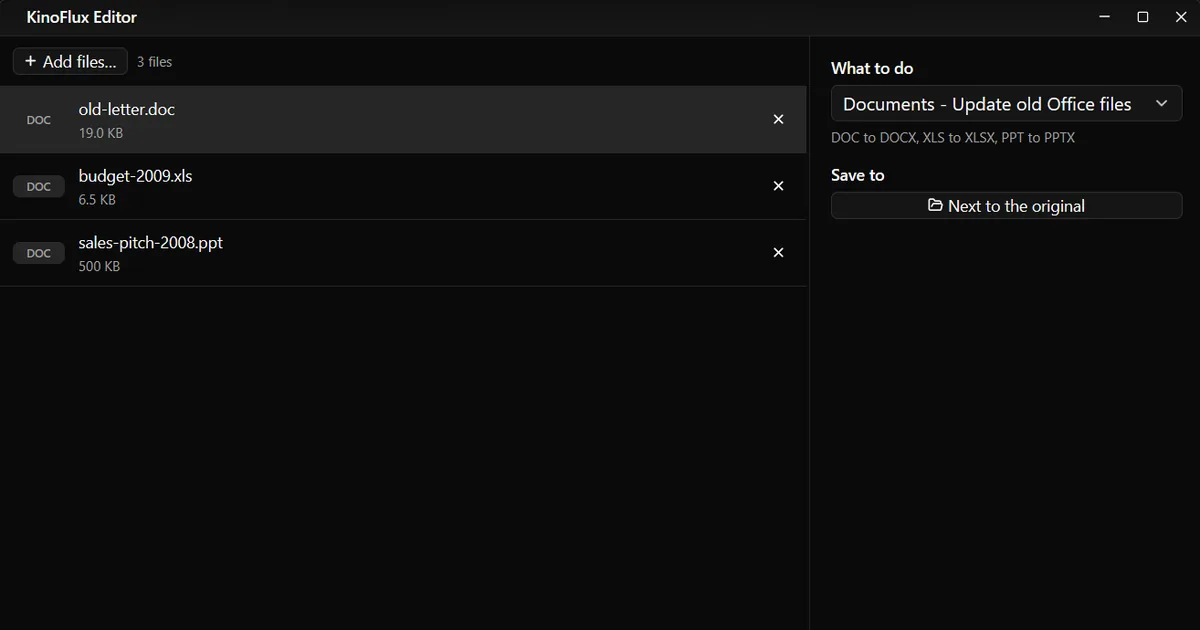
- Documents - Update old Office files: .doc to .docx, .xls to .xlsx, .ppt to .pptx.
- Documents - OpenDocument to Office: .odt, .ods, .odp to .docx, .xlsx, .pptx.
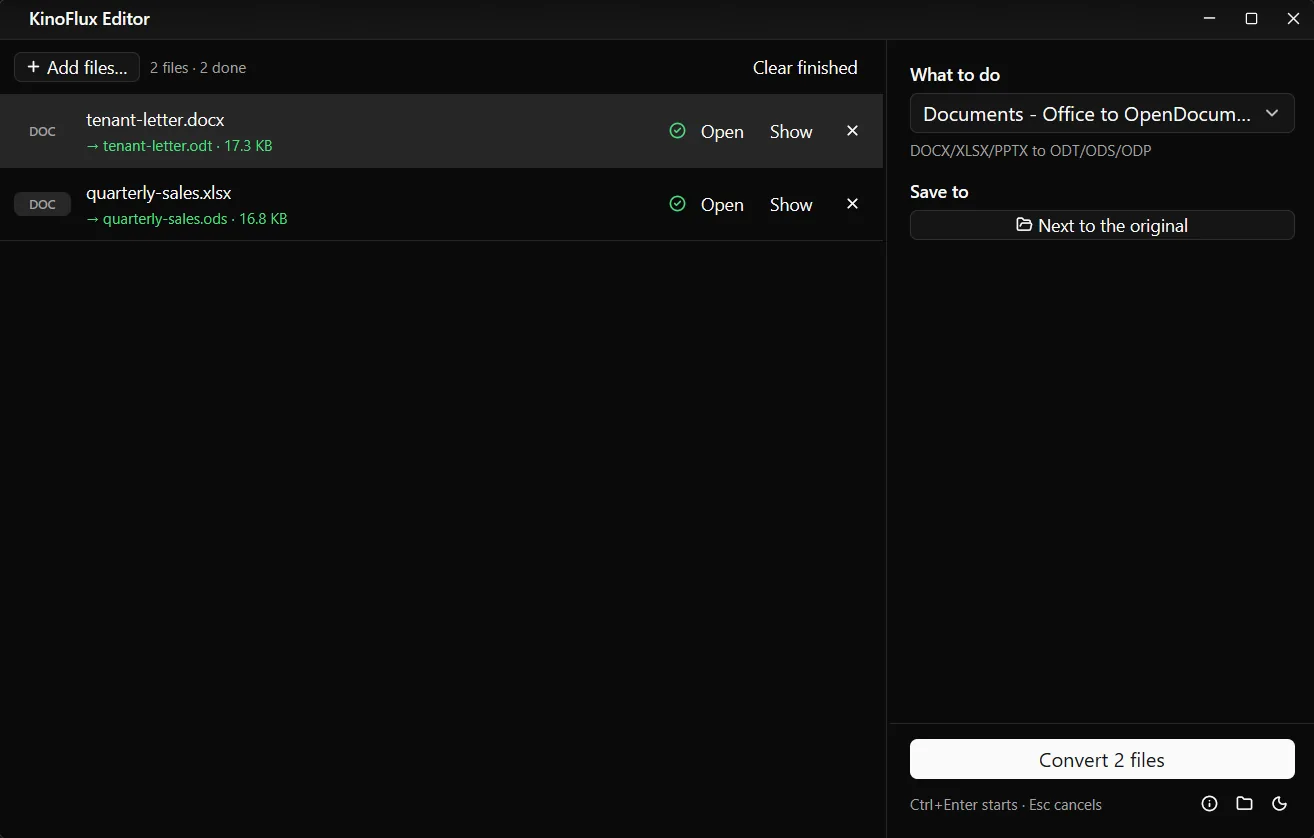
- Documents - Office to OpenDocument: Word, Excel and PowerPoint files to .odt, .ods, .odp.
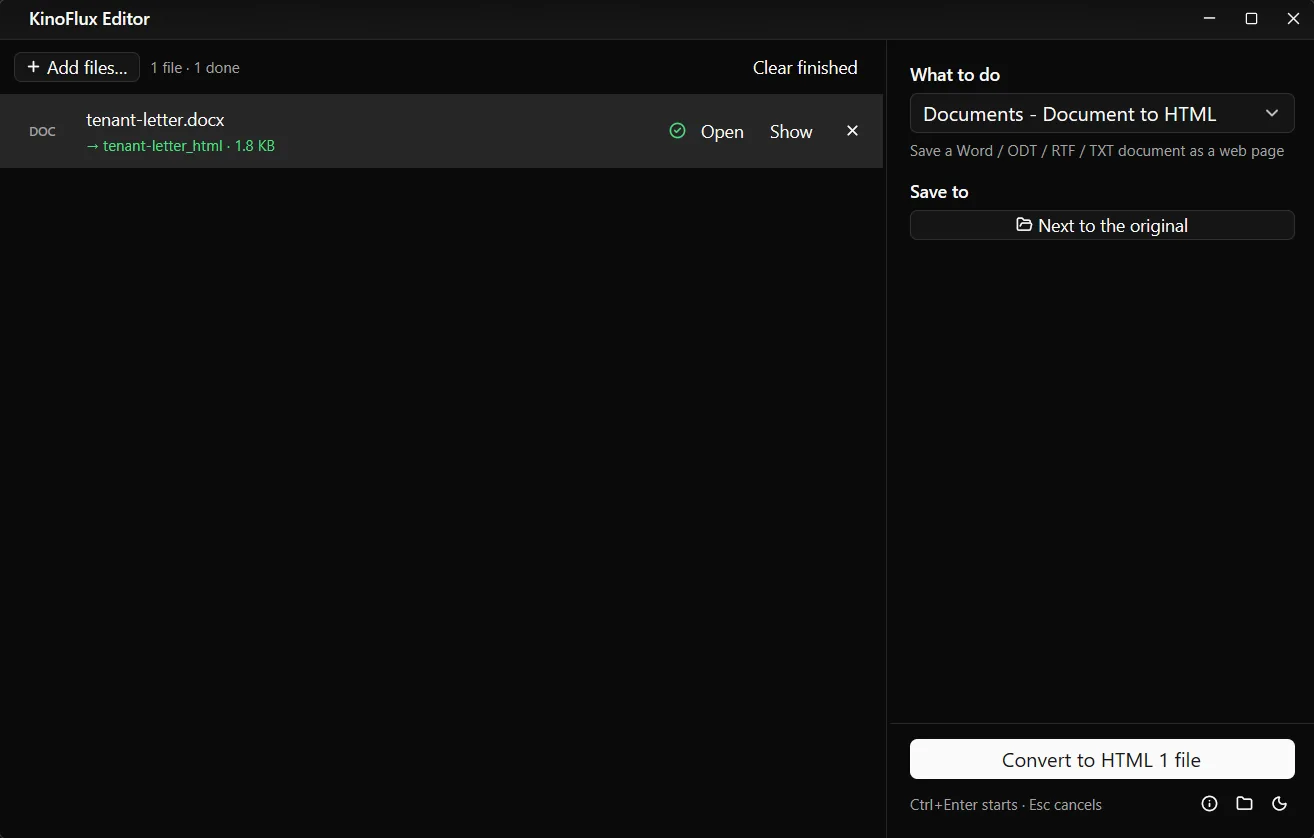
- Documents - Document to HTML: a Word, ODT, RTF or TXT document as a web page.
- Documents - HTML to document: a saved web page as .docx or .odt.
How to update old Office files#
- Add the files. Drag the old .doc, .xls and .ppt files, or the folder that holds them, onto the KinoFlux Editor window. Mixed types are fine.
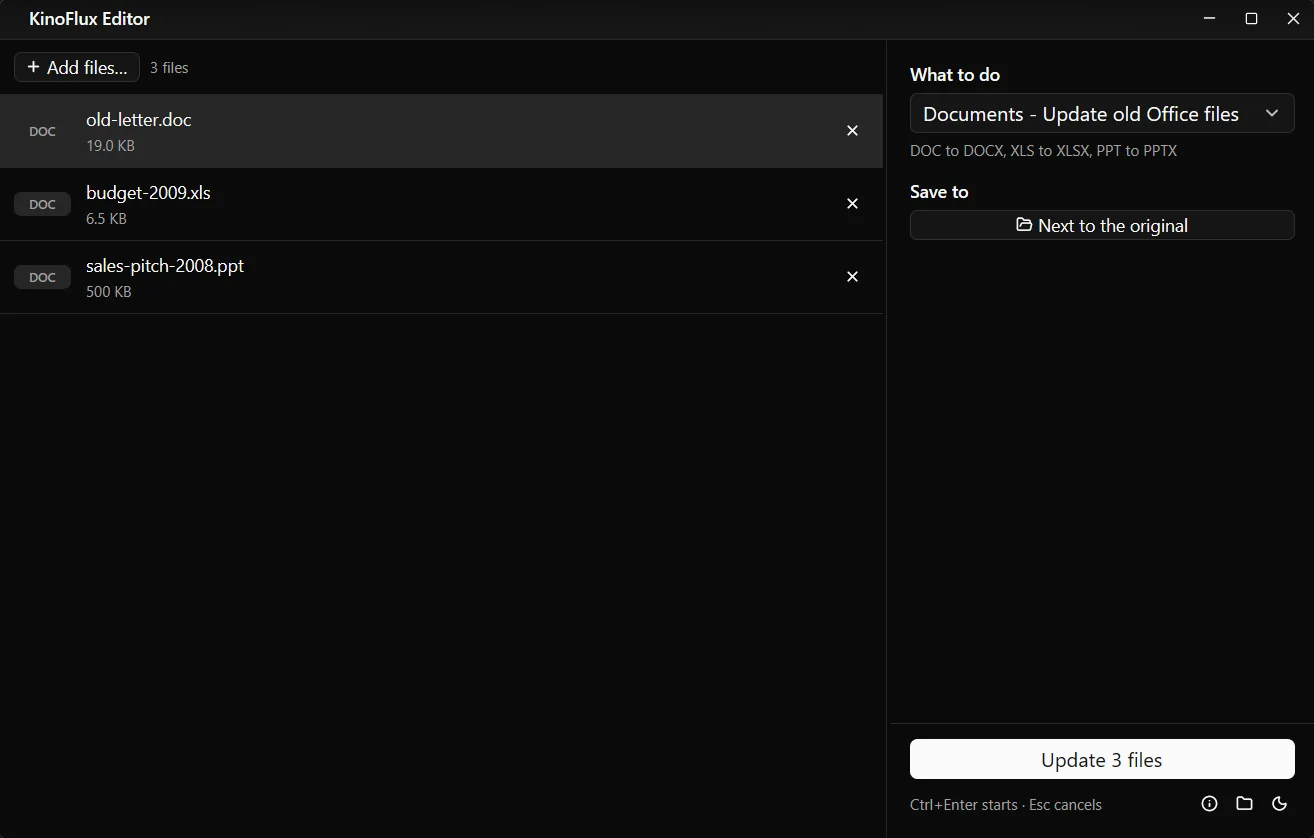
- Pick the tool. Press Ctrl+K (Cmd+K on a Mac), type "old office" and choose Documents - Update old Office files.
- Start. Press Ctrl+Enter. Each file gets a new copy named
name_modernwith the new extension. The originals stay.
Results#
All files are demo documents made for these guides.
| Tool | Input | Output |
|---|---|---|
| Update old Office files | old-letter.doc, 19 KB | old-letter_modern.docx, 8.1 KB |
| Update old Office files | budget-2009.xls, 6.5 KB | budget-2009_modern.xlsx, 7.1 KB |
| Update old Office files | sales-pitch-2008.ppt, 500 KB | sales-pitch-2008_modern.pptx, 26.9 KB |
| OpenDocument to Office | project-brief.odt | project-brief.docx, 5.4 KB |
| Office to OpenDocument | tenant-letter.docx, quarterly-sales.xlsx | tenant-letter.odt, 17.3 KB; quarterly-sales.ods, 16.8 KB |
| HTML to document | newsletter.html | newsletter.docx, 6.3 KB |
| Document to HTML | tenant-letter.docx | folder tenant-letter_html with tenant-letter.html, 1.8 KB |
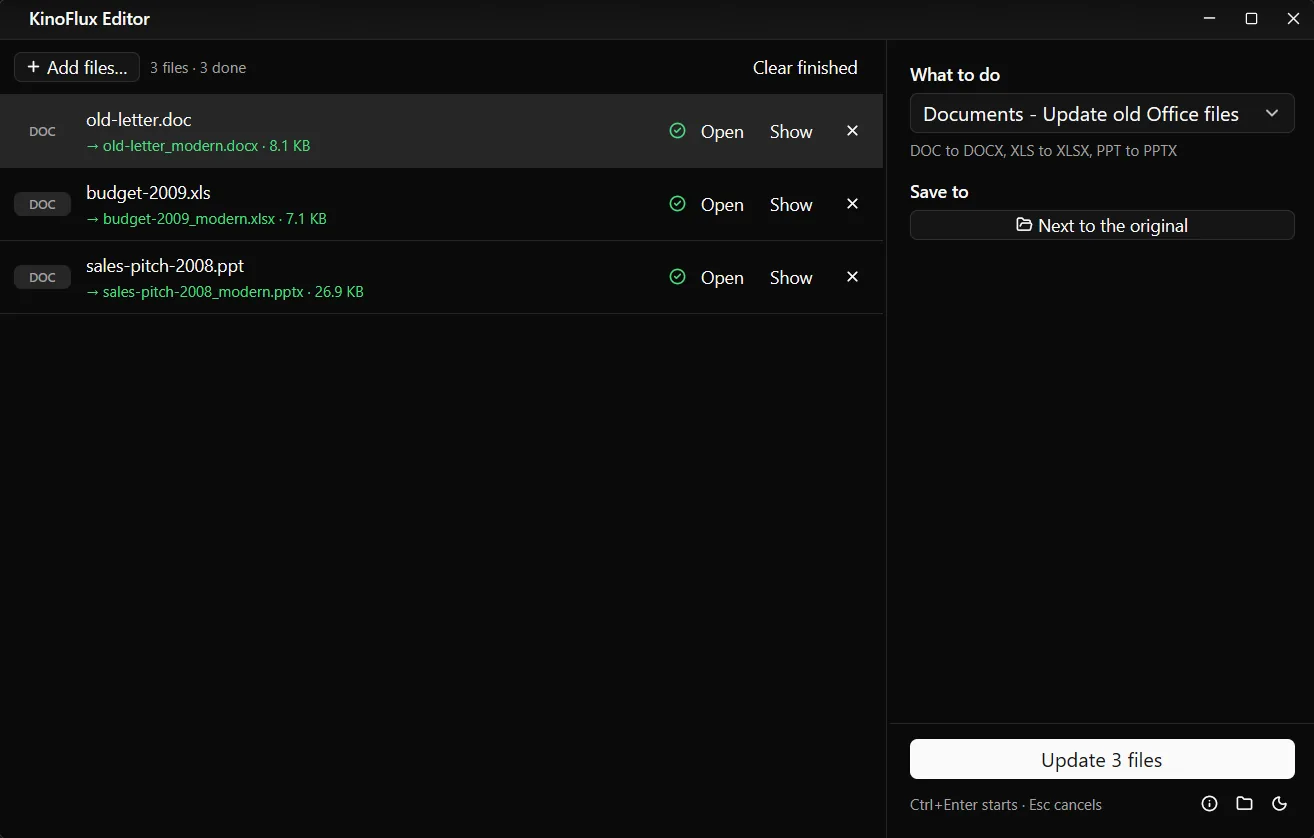
Old binary formats waste a lot of space, which is why the .ppt shrank so much. Real files with photos shrink less.
Between Office and OpenDocument#
Use OpenDocument to Office when someone sends .odt, .ods or .odp and you, or the person you forward it to, use Microsoft Office. Use Office to OpenDocument when a school, a government office or a colleague asks for ODF, or when you work in LibreOffice yourself.
Documents to web pages and back#
Document to HTML saves a document as a web page in a folder name_html, so pictures can sit next to the page. Useful for putting a letter or a manual online, or pasting clean content into a website editor.
HTML to document goes the other way: a saved web page (.html or .htm) becomes a Word (.docx) file (the default) or an OpenDocument (.odt) file. Useful for editing a newsletter or an article offline.
What each tool accepts#
| Tool | Takes | Makes |
|---|---|---|
| Update old Office files | doc, dot, rtf, xls, xlt, ppt, pps | docx, xlsx, pptx |
| OpenDocument to Office | odt, ods, odp | docx, xlsx, pptx |
| Office to OpenDocument | doc, docx, rtf, xls, xlsx, ppt, pptx | odt, ods, odp |
| Document to HTML | doc, docx, odt, rtf, txt, dot, dotx | html in a folder |
| HTML to document | html, htm | docx or odt |
Limits#
- LibreOffice does the conversion. Simple letters, tables and slides convert cleanly. Complex layouts, unusual fonts and special features can shift. Open the result and check it.
- Macros are dropped in the new Office formats.
- Password-protected Office files are not supported. There is no field to type their password.
- HTML to document takes local .html files, not web addresses. Save the page in your browser first.
- One file at a time. Documents tools work through the list one after the other.
Related guides#
- Turning documents into PDFs: convert Word, Excel and PowerPoint to PDF.
- Spreadsheets to and from CSV: convert Excel to CSV.
- Slides as pictures: convert PowerPoint slides to images.
All tools are on the KinoFlux Editor page.
Frequently asked questions
Why convert .doc to .docx at all?
The old formats are from 1997 to 2003. Newer programs open them in compatibility mode, some websites and email filters refuse them, and the files are often larger. The new formats are smaller and work everywhere.
Do macros survive?
No. The new files are saved as .docx, .xlsx and .pptx, which cannot hold macros. Keep the old file if it has macros you need.
Can Word open .odt files without converting?
Recent Word versions can, but layouts sometimes shift and older versions cannot. Converting with OpenDocument to Office gives a normal .docx that anyone can open.
Do I need Microsoft Office or LibreOffice installed?
No. KinoFlux Editor brings its own copy of LibreOffice on Windows and Mac and uses it for these conversions.
Can I convert many files at once?
Yes. Add a whole folder. Documents tools work through the files one after the other.
- doc to docx
- odt to docx
- office files
- documents